Open topic with navigation
FlexNET License Administrator page is not found!
Description
|
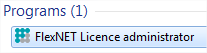
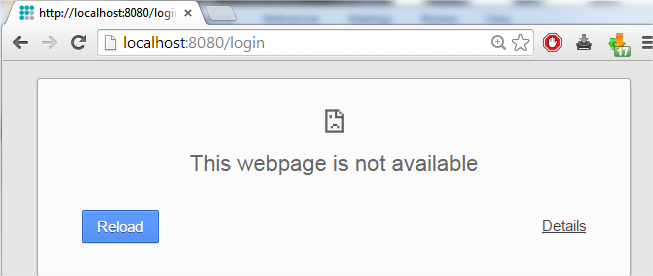
à If you open the FlexNET License administrator, then it opens your browser for the page for http://localhost:8080/, but this page is not available...
|
|
Solution
The service lmadmin.exe must be started (in the Windows services)
Option 1: Start ‘lmadmin.exe’
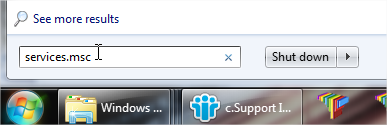
- Hit the Windows ‘Start’ button and type in Services.msc (+ ENTER)
- If you can find the service lmadmin.exe, then right click on it and choose Start.
Option 2: Disable Data Execution Prevention
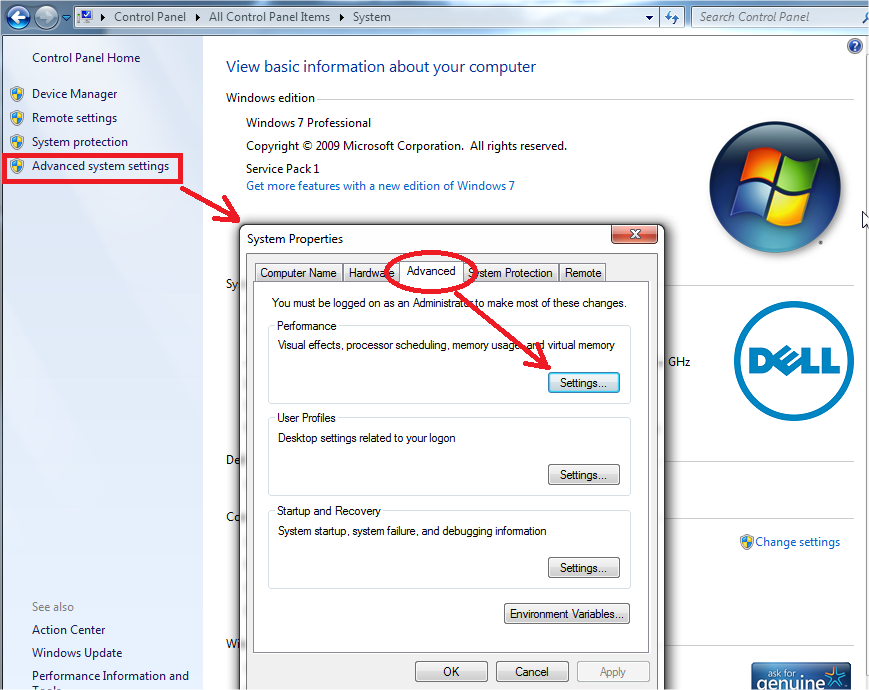
- Hit the Windows Start button and open the Control Panel.
- This part depends on your control panel setting. Follow either step a, or step b:
- If you have a lot of equally big icons in your control panel, the select System.
- If your control panels is in categories, then chose first System and security and then System
- In the window that opens, follow the next steps:
- Open the Advance system settings
- Go to the tab Advanced
- Then to Settings (under performance)
- In the window that opens, make sure that the tab Data Execution Prevention is set to:
“Turn on DEP for essential Windows programs and services only”
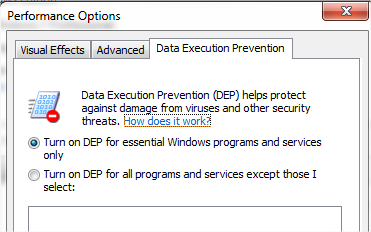
Remark: After changing settings here, the machine must be restarted.
Using option 2 (Turn on DEP for all…) is possible, but with exceptions for:
- lmadmin.exe (C:\Program Files (x86)\Common Files\SCIA\LicenceServer\FlexnetServer\lmadmin.exe)
- scia.exe(C:\Program Files (x86)\Common Files\SCIA\LicenceServer\FlexnetServer\scia\scia.exe)
Checks
Continue with "Step 3 (server): Open FlexNET License Administrator".
Open topic with navigation