
|
||
|
|
||
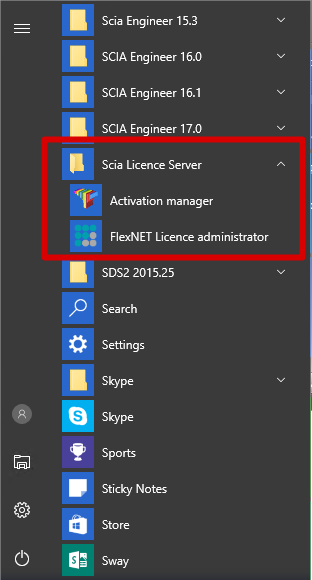
If the SCIA License Server is installed, you will have the Activation manager shortcut in the start menu (image on the right). The shortcut also refers to the following path:
C:\Program Files (x86)\Common Files\SCIA\LicenceServer\ActivationUtility\Activationutility.exe
You can load in the license with these steps:
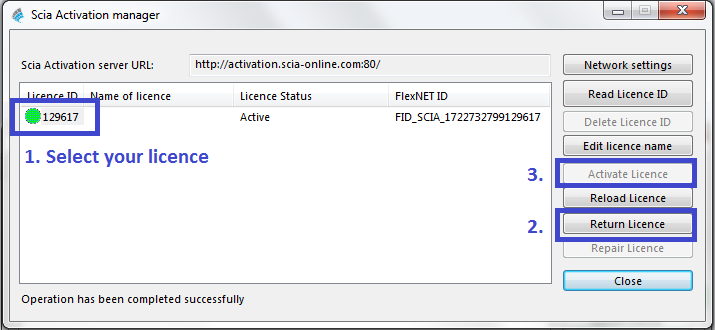
àWhat if my Activation Manager is empty?
Click on
Select the LID file (for the image above, it would be “SCIA630643.lid”)
àWhere can I get this LID file?
It was sent to you by SCIA. You can probably find it in your mail box (for student/try-out).
This LID file does not need to be updated (never ever).
àWhat do I have to do when I have to update my license?
‘Updating’ your license, is no more than clicking on again.
(It might be necessary to return the license first (with the button ))
àWhat does the little image before License ID mean (usually that little circle)?
This indicates the status of the license (see also chapter "License status")
It should become green after clicking on .
àI click on , but I get an some kind of message…
More explanation can be found in chapter Messages when using below.