
|
||
|
|
||
After setting the ESA.ID's and inputting Member data the 'Check Header' can be defined.
Switch to the tab 'Header' to define the Check Header.
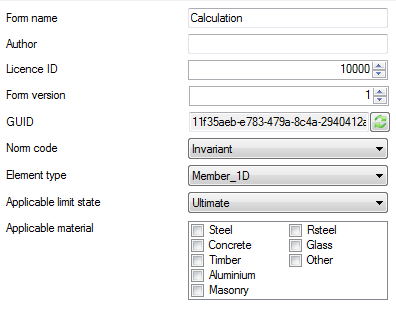
When initially opening the 'Header' tab the following data is shown by default:
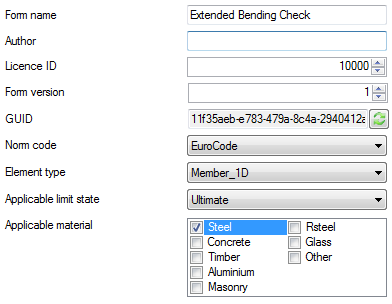
For this example the Form name is set to Extended Bending Check.
The Norm code is set to EuroCode.
The Element type is set to Member 1D.
Applicable limit state is set to Ultimate.
For the Applicable material the material Steel is selected.
After the above modifications the Check Header definition looks as follows:
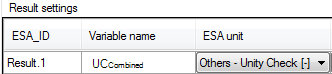
The bottom part of the Check Header definition shows a grid which automatically lists all variables that were defined as output results in Step 2.2.
In this example the UCCombined was set as Result.1 so this is the only variable shown here.
The UCCombined variable concerns a unity check. The unit is therefore set to Others - Unity Check [-].
All other settings are left on their defaults since they match the typical settings for a unity check.
This concludes the definition of the Check Header; all required inputs have now been made.