Open topic with navigation

3. Update of the server for a new version
SCIA Engineer 18 requires a version of FlexNET that is at least 3.0.2. (see chapter 2).
If your server is using LMTools to divide licenses, then you are using FlexNET version 1.X.X and you must also upgrade your FlexNET. To upgrade, first go to the activation manager and return ALL licenses. Then remove FlexNET from the server. The location for the setup and the installation for the new FlexNET is described in chapter 2.
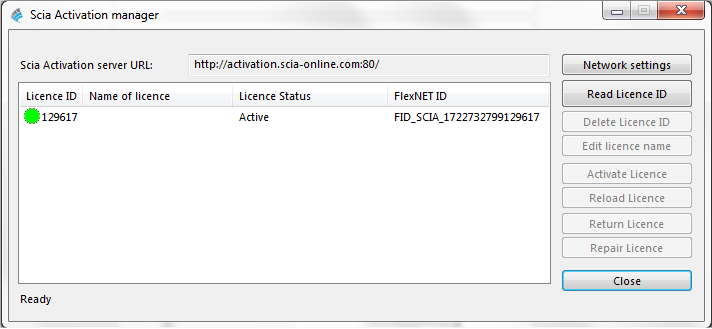
- Execute the SCIA Activation manager. This can be found by default in: "C:\Program Files (x86)\Common Files\SCIA\LicenseServer\ActivationUtility\
ActivationUtility.exe"
- Select your license number and press [Reload License]
- If the activation has succeeded, you will receive a message that tells you that the license is now bound to the server and must be returned before removing or changing hardware to the server (and before removing software relevant to the activation utility).
It is not possible to activate the license file using remote desktop (to try and force this command, see Section 8.2). For problems with proxy settings, check Section 8.6.
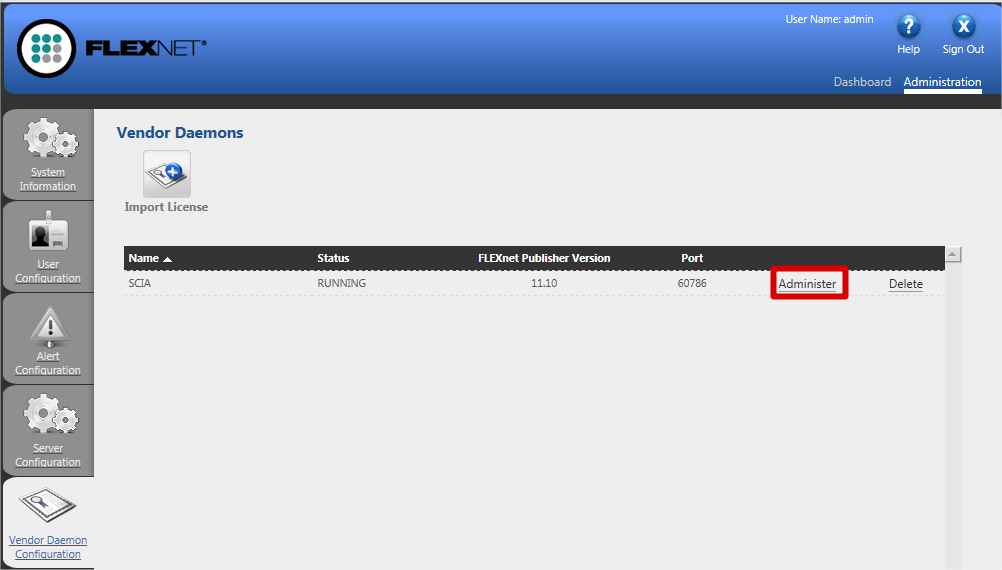
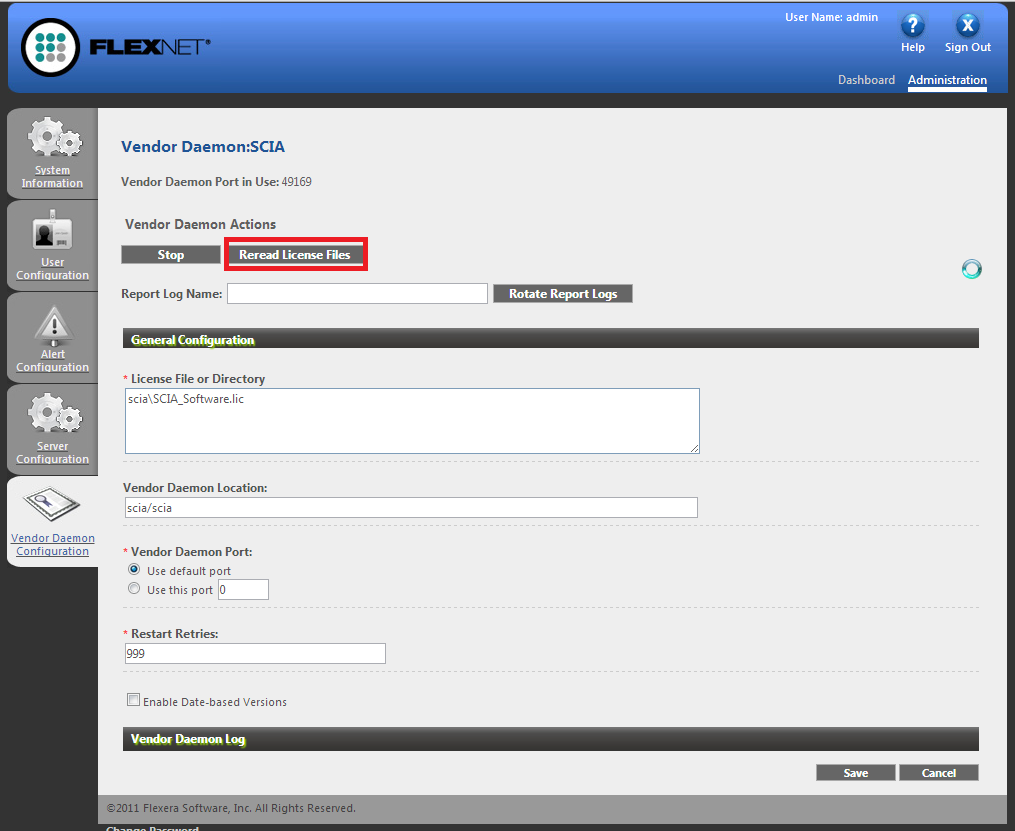
- Now you must execute the [Reread License Files] option in the FlexNET license administration:
Open topic with navigation