
|
||
|
|
||
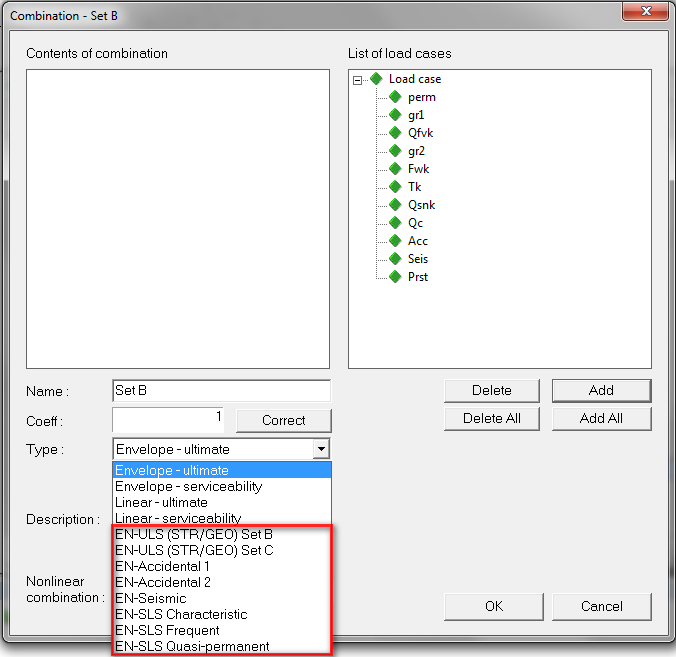
Combinations for buildings are distinguished from combinations for bridges too. The reason for this is the usage of correct γ and Ψ factors, which are different and will be defined in another system requirement. There is also a new combo box named Structure, where user may choose from four possibilities: Buildings, Road bridges, Footbridges, and Railway bridges.
This combo is visible only for marked types of combinations, shown on picture below. Else it is hidden.
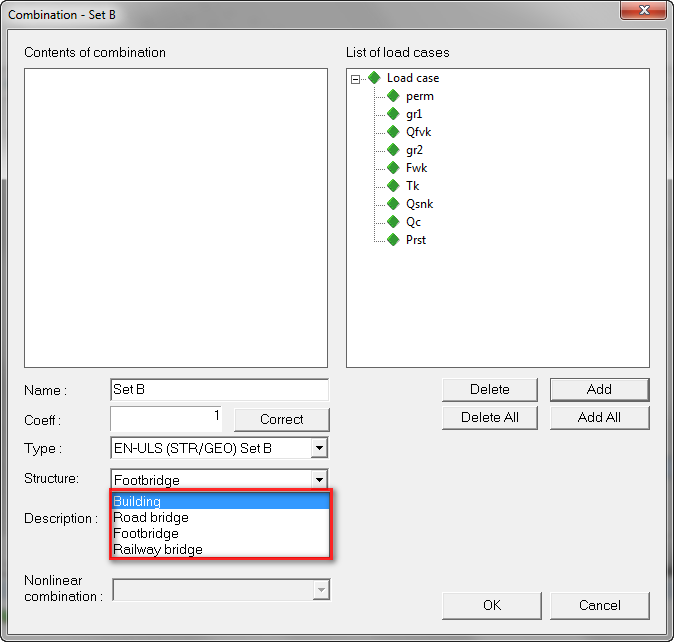
The right window with list of load cases is filtered according to the Structure selected in the combo. This window shows :
If a Building combination for example is created, and then it is switched for example to Footbridge combination, the content of the right window is refreshed and also the content of the combination is checked. If any non-compatible variable load is found, it is automatically removed from the content of the combination.
During this switch a warning message is displayed together with the changed content on the background. the user may accept the change or cancel it.
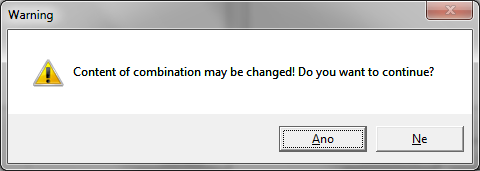
The same warning is displayed when switching to/from Accidental and Seismic combinations. Load cases which are assigned to Accidental load groups, are possible to input into the code combination only when type of the combination is set to Accidental1 or Accidental 2 combination. Practically the same way behaves load cases assigned to Seismic load groups, which are possible to input only into Seismic code combination. In all other cases, accidental and seismic load cases are not displayed in the List of load cases window. Also when such load cases are already inputed in the content of combination and after that the type is changed, they are removed from the combination.
| Type of the combination | List of load cases |
|---|---|
| Envelope, Linear | All |
| EN-Code non-Accidental 1,2 and non-Seismic | All except Accidental and Seismic |
| EN-Code Accidental 1,2 | All except Seismic |
| EN-Code Seismic | All except Accidental |
The previous warning dialog is also displayed when switching combination type from non-code to a code combination. The Structure parameter is set to Building as the default option.
The Structure parameter is also visible in the main Combinations dialog, where it has only informative character. Here it is disabled and is not possible to change it. Therefore the list of the load cases is always valid. The Structure parameter is visible again only for the Code combinations here. Else it is hidden.
Parameter Type is also always disabled and it is not possible to change it.
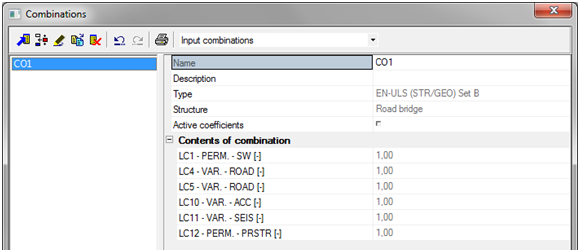
This restrictions are implemented to ensure the correct input for the combinations.