|
||
|
|
||
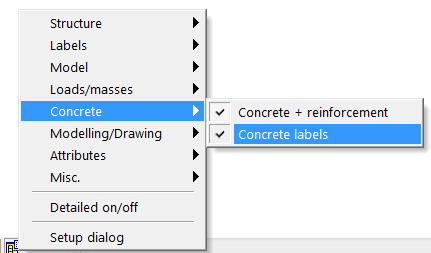
If Member data are defined for a certain 2D member or its sub region, then a graphical mark (label) is displayed together with the arrows describing reinforcement directions and layers on the member. Only the name of the attribute is displayed by default (Concrete 2D data), but this description can be edited or modified in the View parameters setting dialog. It might be accessed by:
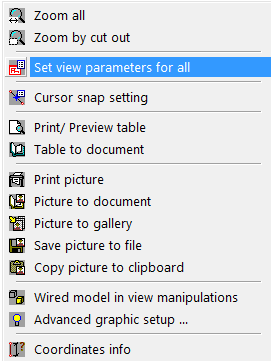
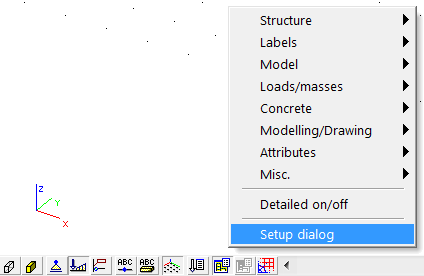
After that the View parameters setting dialog, affecting whole model, is displayed and the user can find parameters for concrete structure in folder Concrete
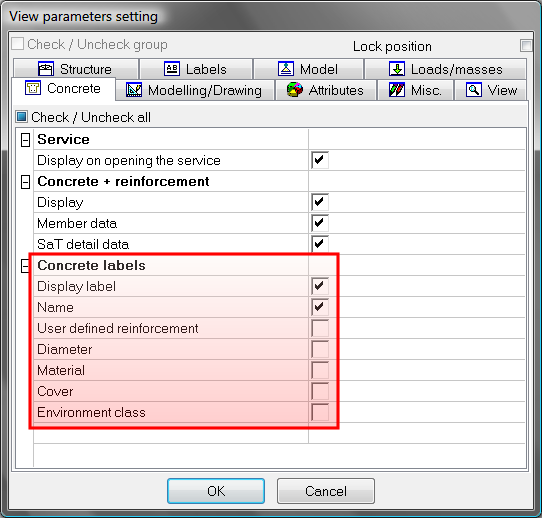
Member data can be switched on or off in two ways: