
|
||
|
|
||
In order to use a previously defined line grid, two conditions must be met:
at least one line grid must be switched on,
Once the two conditions are met, the vertices of the displayed line grids may be used to define points. When the mouse cursor is positioned on a line grid point (vertex), the program automatically detects it, snaps to it and shows its co-ordinates. If the user wants to use the highlighted point, the only thing he/she have to do is click the left mouse button.
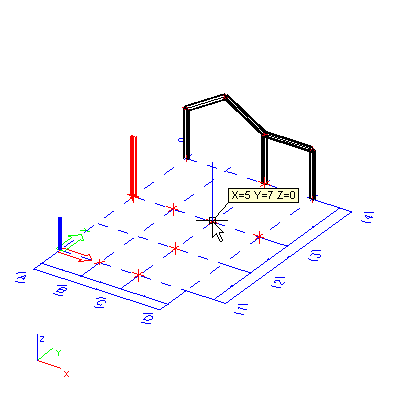
The picture above shows the use of line grid for the insertion of columns during creation of a model of a hall.