
|
||
|
|
||
When performing one of below listed checks, the user may prefer to see the detailed results of the check for one member at a time.
This option is available if item Single check is displayed in the Property window after the check function has been activated.
The option is available for:
unity check,
section check,
stability check.
For information about these checks see chapter Performing the resistance check.
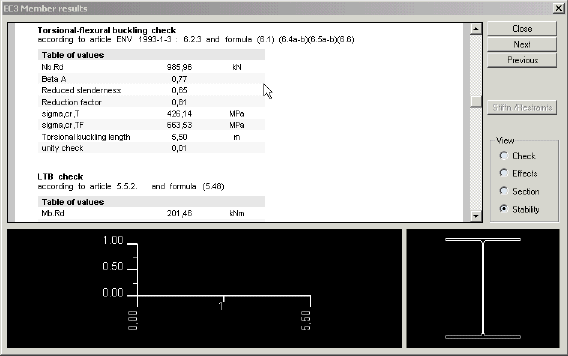
After the button under item Single check is pressed a new dialogue window is opened on the screen.
The window may look like:
|
report window |
This part of the dialogue displays all the results available for the selected check. |
|
longitudinal section |
This part may display results in the form of diagram. |
|
Here, the cross-section of the checked beam is shown. |
|
|
control buttons |
The control buttons provide access to various information. |