
|
||
|
|
||
As stated earlier, there are two ways to define wind load in SCIA Engineer.
The actual load may be calculated to a specific technical standard or it may be derived from a user-defined curve of wind pressure. The type of wind load can be adjusted in the Project Setup dialogue on tab Loads.
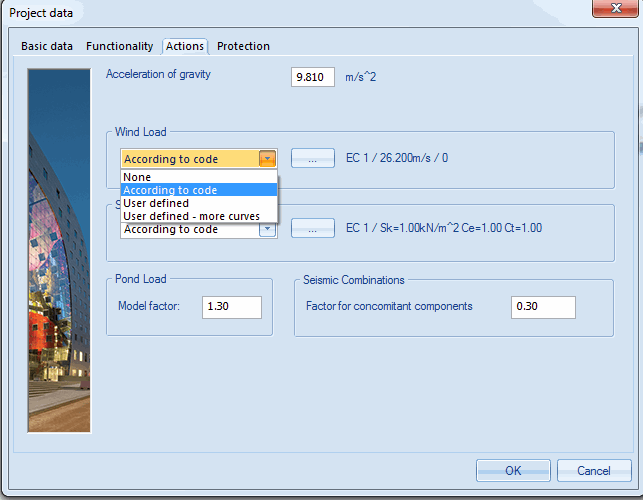
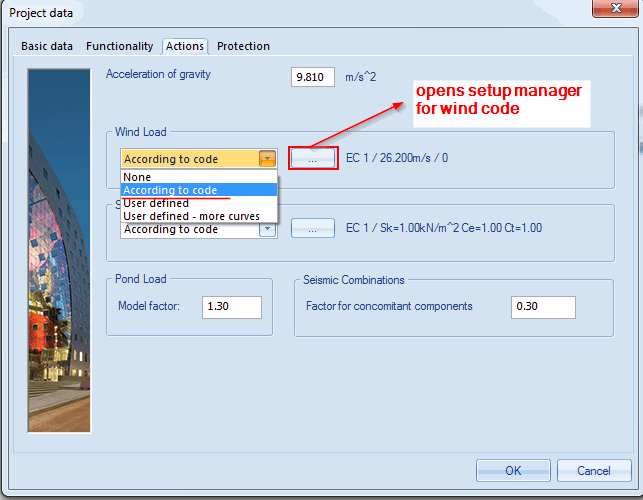
If option code is selected, the user may then specify additional parameters defined in the particular national standard. The sample pictures below show dialogues for the adjustment of code related parameters for EC standards.
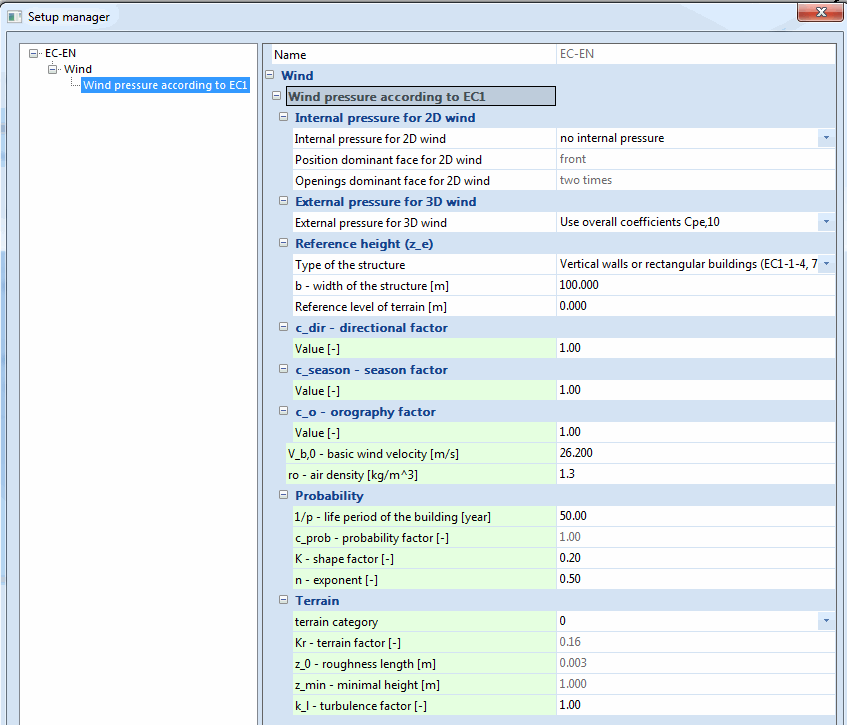
Explanation: Internal pressure for 2D wind (EN:1991:1-4, Clause 7.2.9):
Internal pressure for 2D wind
no internal preasure - no internal preasure will be applied on structure
dominant face - dominant face will be taken into account
no dominant face - Cpi is set to +0,2 or -0,3
A face of a building should be regarded as dominant when the area of openings at that face is at least twice the area of openings and leakages in the remaining faces of the building considered.
Position of dominant face for 2D wind
Openings dominant face for 2d wind
two times - when the area of openings at the dominant face is twice the area of the openings in the remaining faces, Cpi = 0.75*Cpe
This option allow user to define his own wind curve through wind pressures library and wind pressure input dialogue.
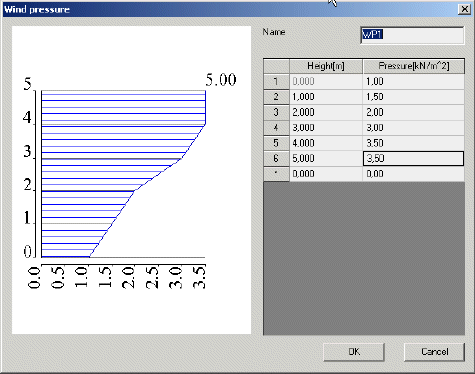
It is possible to define multiple wind curves. They are stored and can be easily revised, edited, deleted and selected in a standard SCIA Engineer database manager.
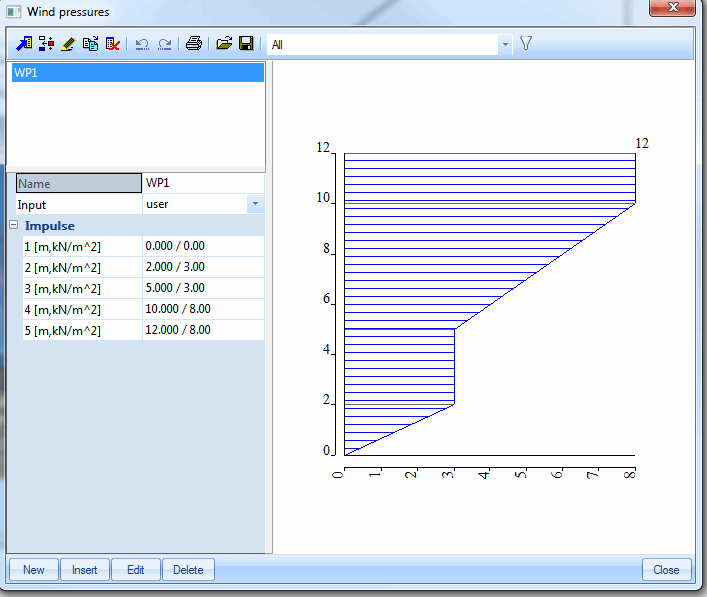
Note: The type of wind load set in this dialogue is later used when function Load > Wind generator is applied.
Note: Read also chapter Program settings > Project settings > Basic project settings > Loads settings.