
Initial stress - options
The analysed structure may be subject to an initial stress. This may be defined in several ways. The approach can be adjusted in the Solver options setup dialogue: Advanced solver settings - initial stress. By default, the initial stress is deactivated (Figure below, #A).
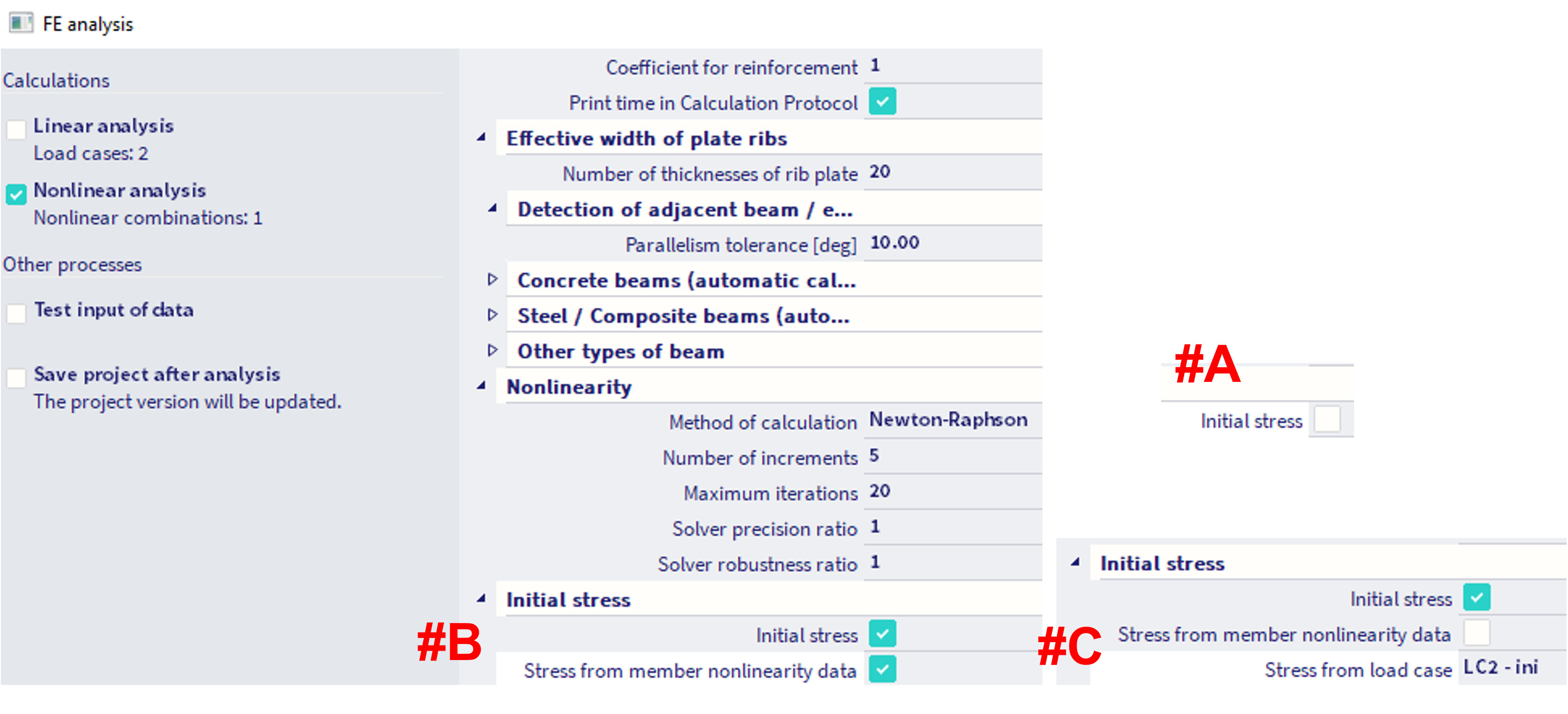
There are two options how to consider the initial stress:
Initial stress from member nonlinearity data (Figure above, #B)
More detailed information is found in this chapter.
Initial stress based on load case (Figure above, #C)
The initial stress may be calculated from the results of selected load case. The results of linear static calculation for the specified load case are used to determine the initial stress in the beam.
Since SCIA version 24.0, there is a change in the consideration of the initial stress based on load case. Before version 24.0, this initial stress based on certain LC was internally considered as additional load case (with multiplier of 1.0) within the content of each user defined nonlinear combination in the project. Since version 24.0, the initial stress based on load case is internally considered as initial state for the subsequent nonlinear combinations. Example of this behaviour along with results is provided below on a simple model.
Example
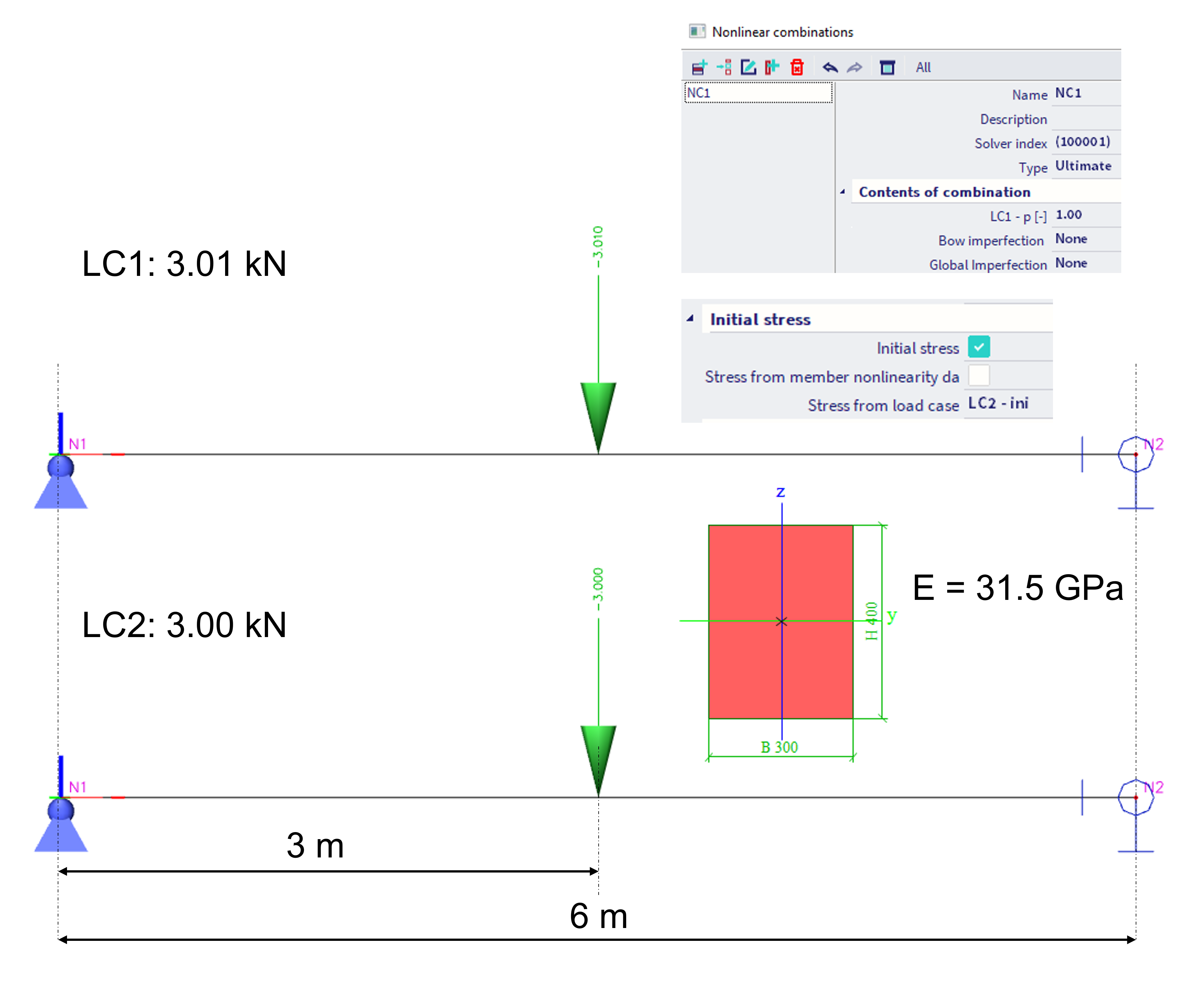
Example of the internal behaviour of this feature is shown on a model of a simply supported beam, which geometry is depicted in the figure below. There are two load cases defined, LC1 with the point force of 3.01 kN in the mid-span, and LC2 with 3.00 kN in the mid-span of the beam. The load case LC2 is used as load case to determine the initial stress. There is one nonlinear combination NC1, which contains only LC1 (with multiplier of 1.0).
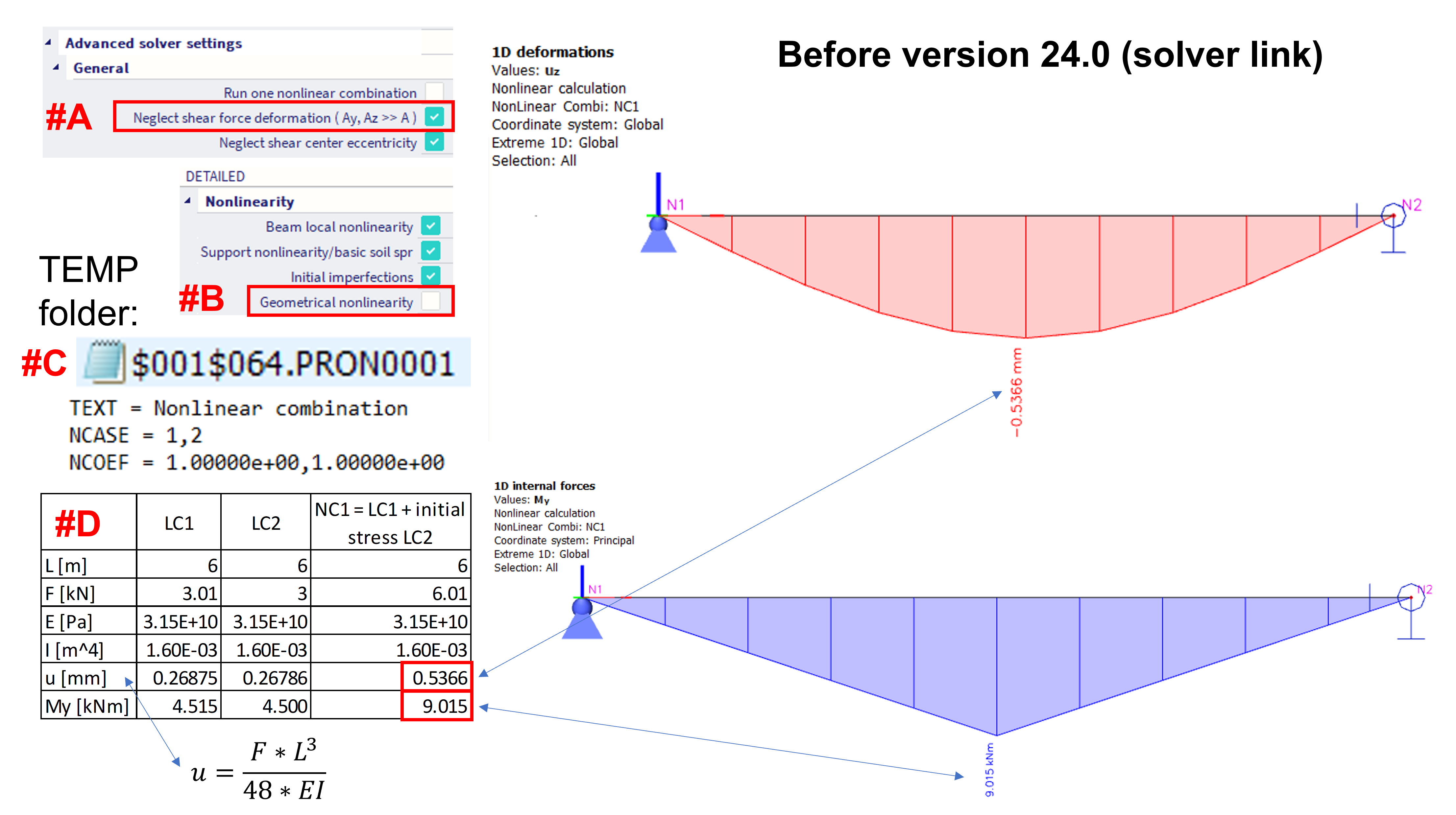
The results of this example in the versions before v. 24.0 are shown in the figure below. In order to get the match between hand calculation and results in SCIA, the shear force deformation is neglected in this example (#A). Furthermore, in order to compare the results of linear load case and the nonlinear combination, the geometrical nonlinearity is turned off (#B), so the superposition of the results might be considered (the deformations in this example are rather small). It is shown, how was this considered internally in the software (#C) - in the SCIA TEMP folder, in the corresponding *.PRO* file, the nonlinear combination contained two load cases - LC1 which is explicitly defined by the user, and LC2 which is set by the user as initial stress. This is internally the same, as if there was no initial stress defined by the user at all, and the content of the nonlinear combination NC1 was set as 1*LC1 + 1*LC2. Such results corresponds with the hand calculation (#D).
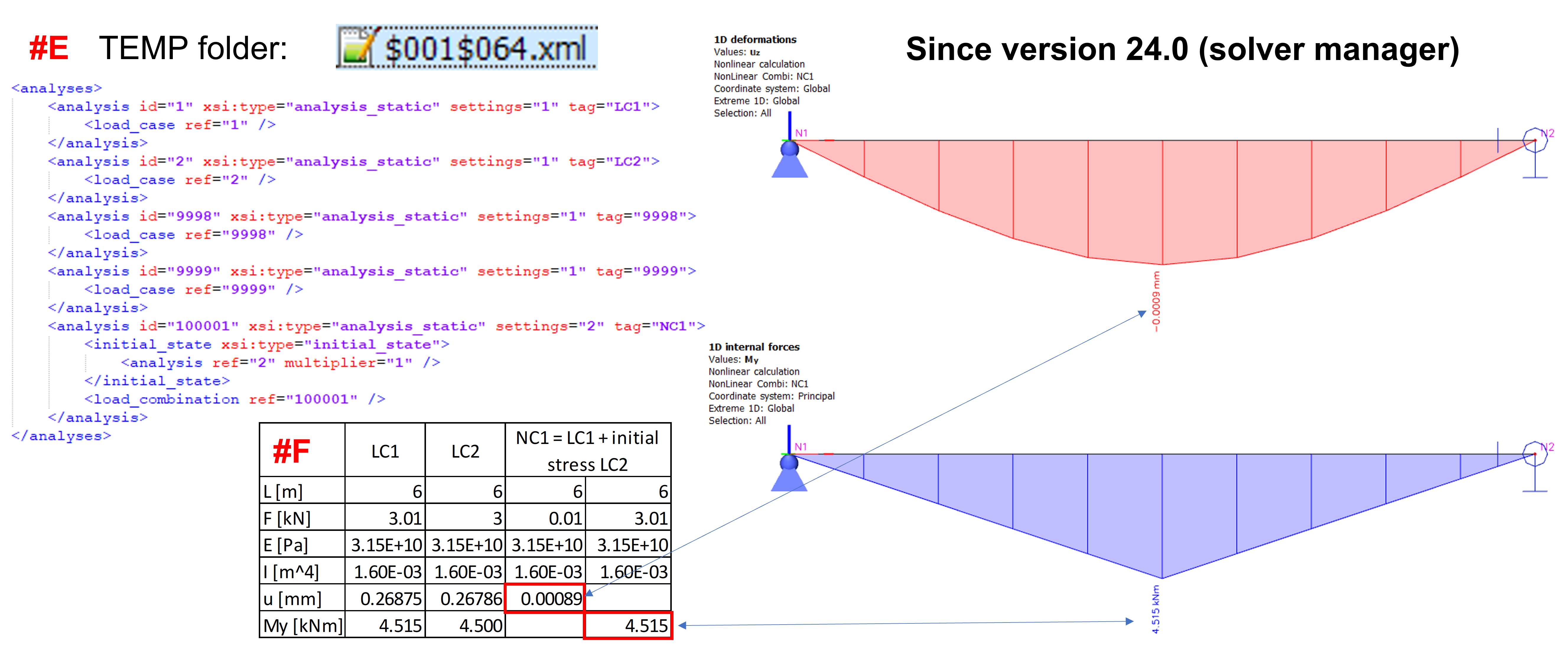
The results of the same structure (same user settings) analysed in (or after) v. 24.0 (where the solver manager was implemented) are shown in the figure below. In this case, the initial stress based on LC2 is internally exported as the "initial_state" within the *.XML file in the SCIA TEMP folder (#E). The results are compared with hand calculations (#F) - the deformation corresponds to the additional load only (the difference of 0.01 kN between LC1 and initial stress LC2; note: The superposition here is "possible", as the geometrical nonlinearity is off, and there are little deformations only). The bending moment My corresponds to the content of the LC1 only.
The comparison of the stresses between old and new approach is depicted in the figure below.
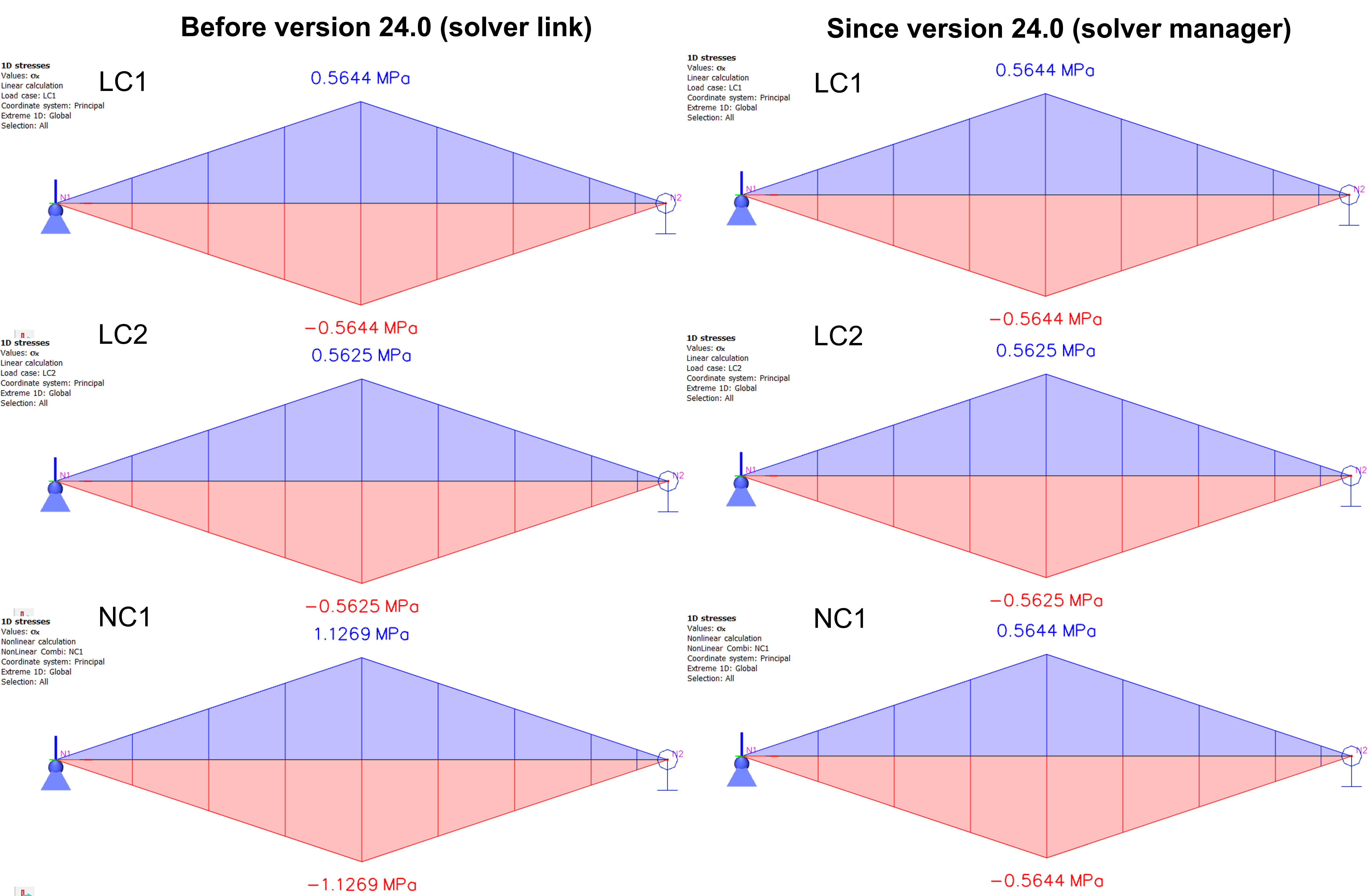
Note: This change was done, because the old approach before version 24.0 has not considered the initial stress in accordance with its logic. The initial stress was internally considered as another load case added into each user defined nonlinear combination. If the user desires to obtain the same results in version 24.0 and further, it is necessary to turn off the initial stress in the settings, and to add this load case into each user defined nonlinear combination with the multiplier of 1.