Visibility according to current selection
The user may simply select (using standard SCIA Engineer selections) members that he/she wants to make inactive. In general, there are two approaches:
-
hide selected members: selected members are hidden / inactive, all the other elements are visible / active;
-
hide unselected members: selected members are visible / active; all the other elements are hidden / inactive.
Making selected members inactive
The procedure to adjust the visibility according to the selection – selected members become inactive
-
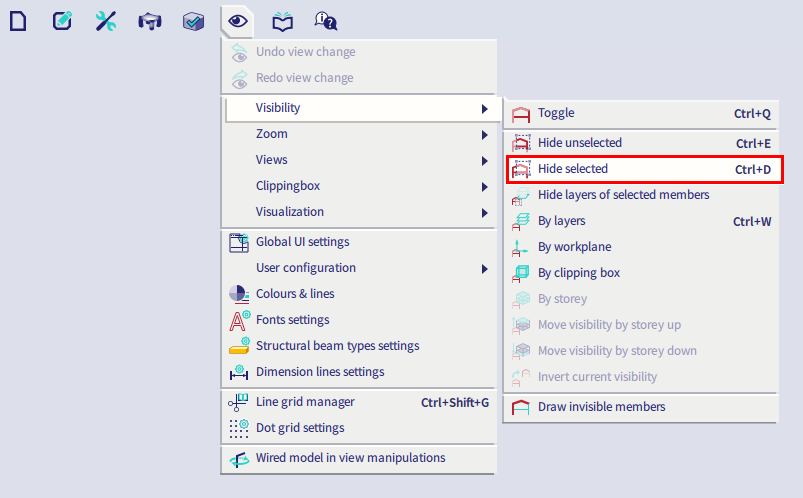
Either call function viaMain menu > View > Visibility > Hide selected or by searching the SCIA Spotlight.
-
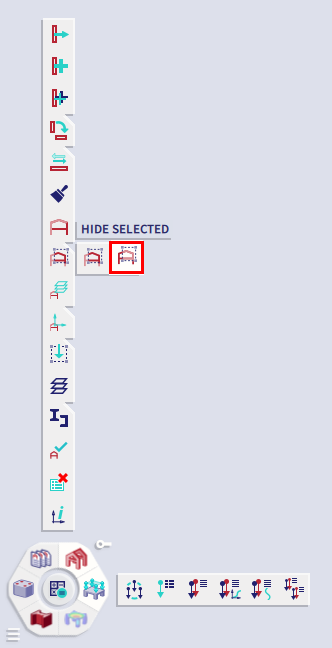
Or click button Hide selected on the process toolbar.
Making unselected members inactive
The procedure to adjust the visibility according to the selection – unselected members become inactive
-
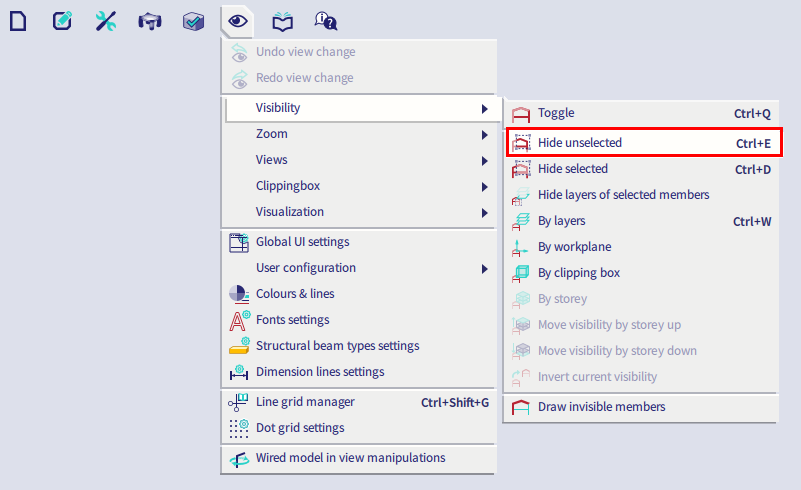
Either call function viaMain menu > View > Visibility > Hide unselected or by searching the SCIA Spotlight.
-
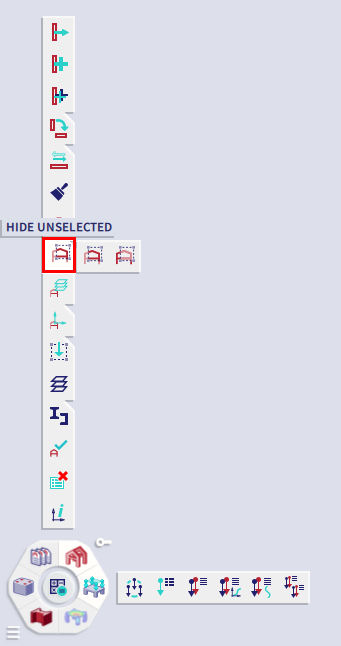
Or click button Hide unselected on the process toolbar.