
External calculation
Download example of external application here.
Each external application must contain three main parts:
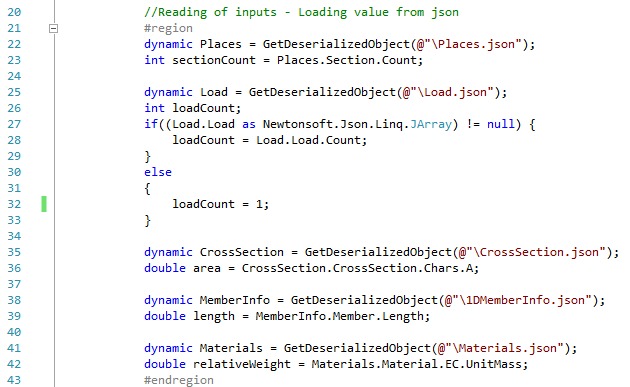
- Reading of inputs which are prepared by SCIA Engineer in json format. - row 21
- Application with all calculations itself. - row 39
- Preparing results file in defined structure to be read back into SCIA Engineer. - row 48
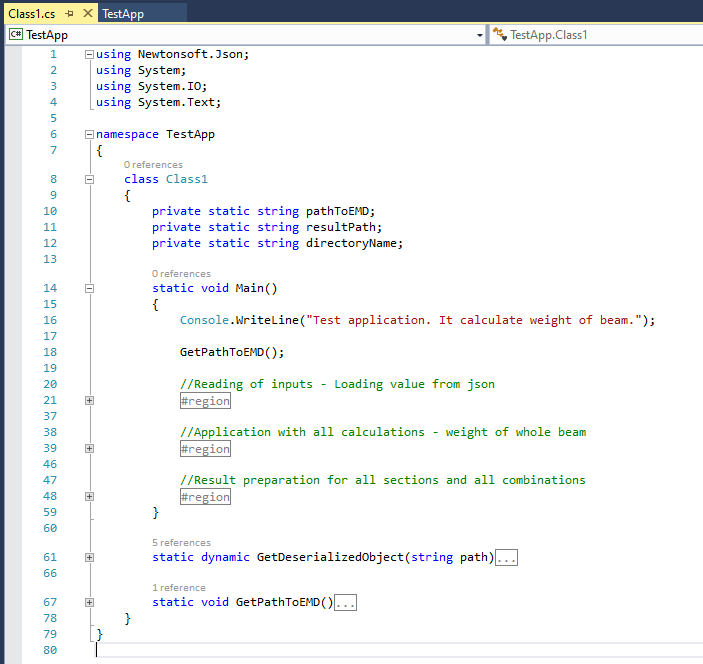
The variables for storing path to Esa Model Data files, to results and to results directory are also necessary.
private static string pathToEMD;
private static string resultPath;
private static string directoryName;
Reading of inputs
Inputs into your application are exported from SCIA Engineer when application is executed from command in SCIA Engineer.
Inputs are stored in json format and they are dynamically changed according used member (type, section, materials, loads...)
The function for de-serialization of json input and function for getting paths into global static variables are prepared.
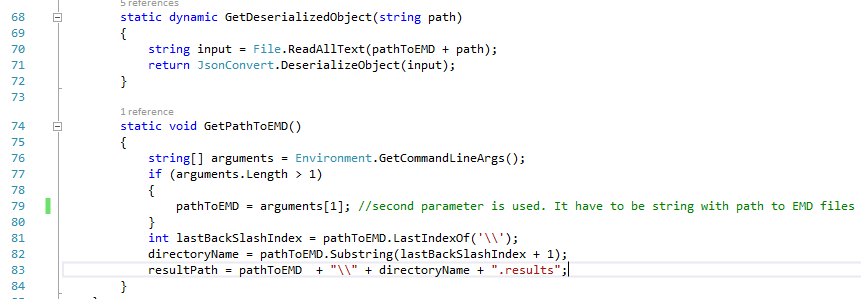
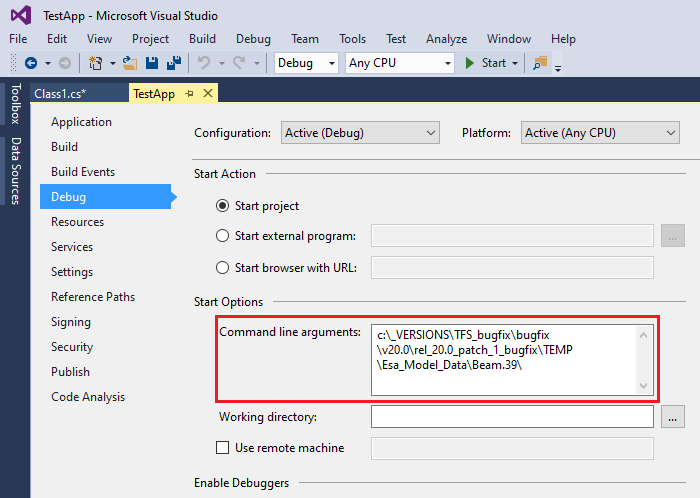
The parameter mentioned on row 79 is automatically added by SCIA Engineer when application is executed in SCIA Engineer environment.
For develop and debug of your application is however necessary to specify this path in project settings.
For deserialization and accessing to json data is used external library from Newtonsoft. Free download from their web page https://www.newtonsoft.com/json
Application with calculation
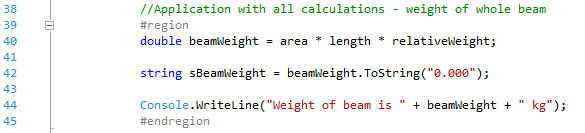
The example calculation is about calculation the beam weight from section area, beam length and unit weight of material. This is done on row 40.
Rows 42 and 44 are just for development purpose for writing result into console for evaluation. They are not necessary for application itself.
Results preparation
Results are prepared as a string for all sections and combinations which are generated by SCIA Engineer. Variables int sectionCount and int loadCount are used for cycles. Use semicolon as separator between each result value.

Result string in required format is saved into working directory into file with suffix .result
SCIA Engineer than automatically find extremes on member according settings in configuration file.