Averaging strips example
Example 1 - Averaging strip, type point
Results location = in centres
Example for averaging strip, type = point, for results location = in centres.
A) Averaging strip type point is located so it covers 4 corner elements of a slab:

In this case where the averaging strip area covers all the finite elements exactly, the result is:

B) In case the area of the averaging strip does not cover some of the finite elements by their whole surface, the values of these elements are used for averaging, however the values of these elements remain not averaged, see example below:

Results location = in nodes, average
Example for averaging strip, type = point, for results location = in nodes, avg.
A) Analogically to previous case, if the area of averaging strip covers several whole finite elements, as in example below, the corresponding values are averaged (by "weight" based on mesh geometry):


B) In case the area of the averaging strip does not cover whole element, firstly the value at the end of this averaging strip area is interpolated based on the neighbouring values. in case below, the value 3.71261 is interpolated from -0.12341 and 7.54863.

Afterwards, the weighted average might be done, using the interpolated value from the border of the averaging strip:

Example 2 (older)
To illustrate the algorithm of averaging strips, a manual verification is performed.
A square slab is inputted with dimensions 2m x 2m.
The mesh size is set to 0,5m.
An averaging strip was inputted in Y-direction with averaging set to 'Perpendicular'
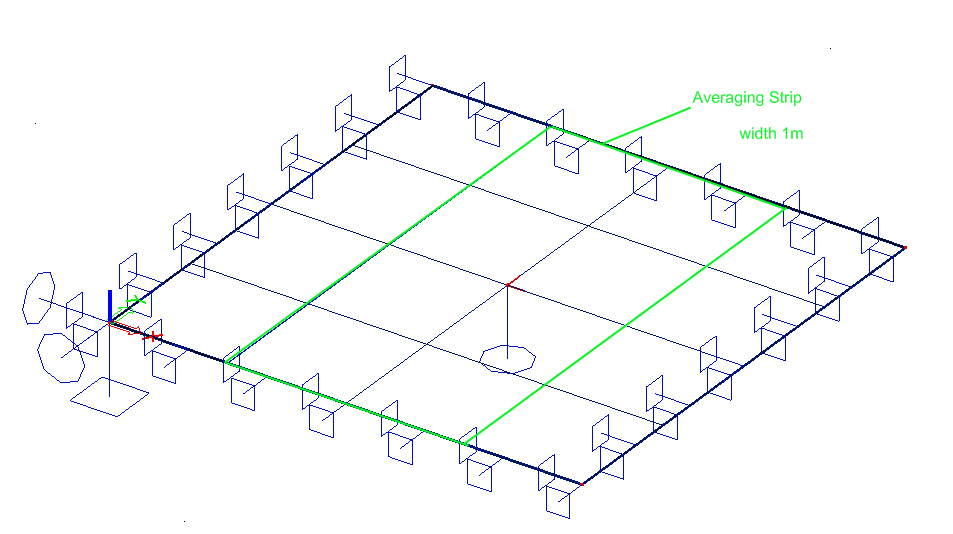
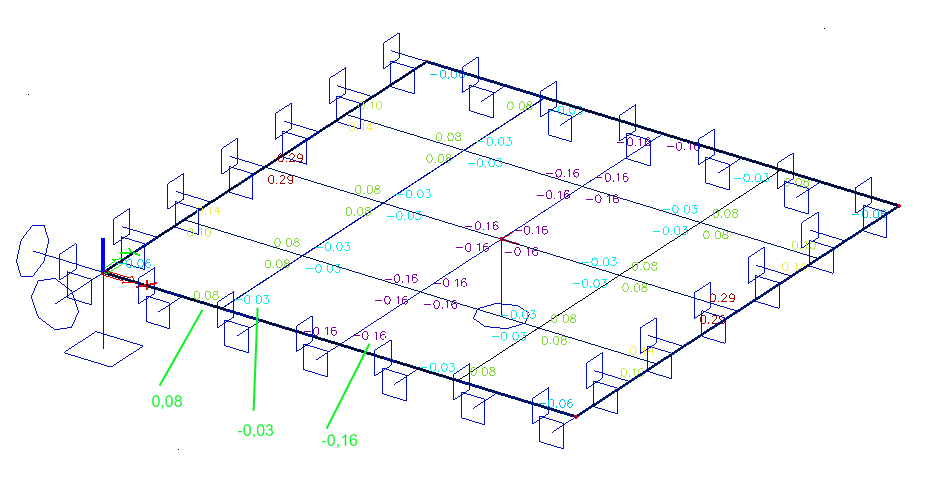
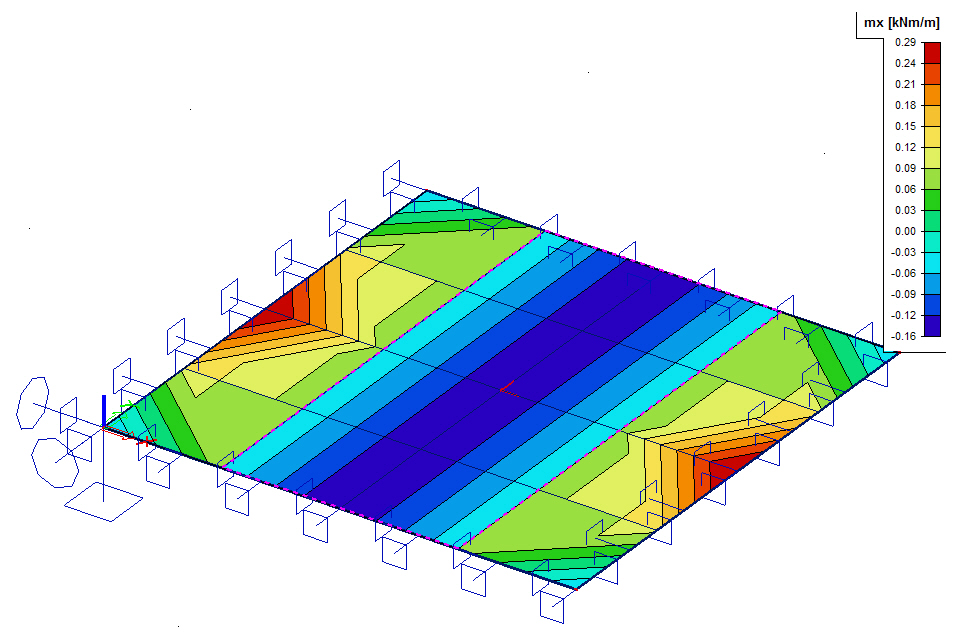
Result of mx in nodes not averaged:
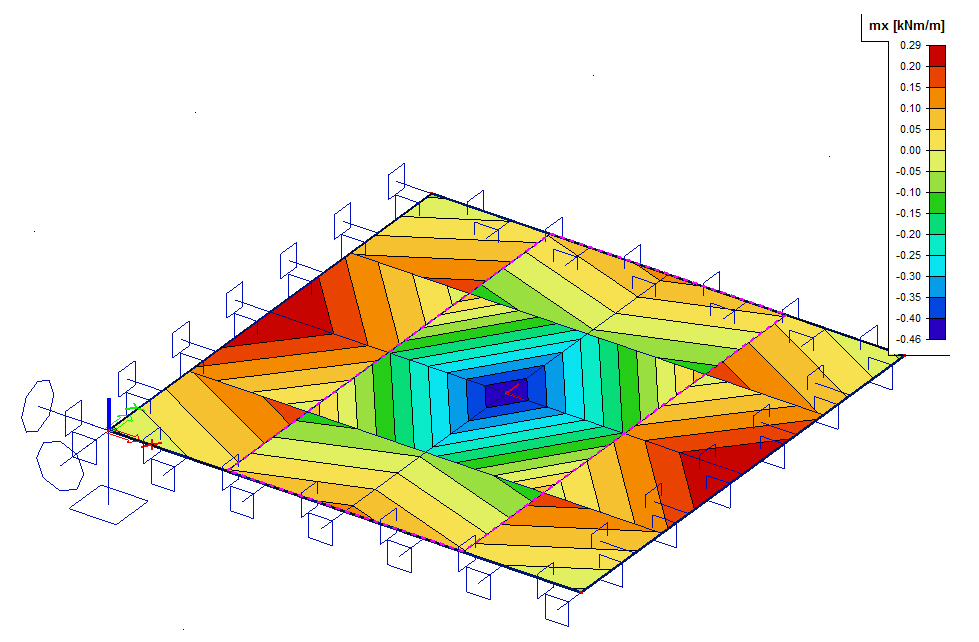
Result of mx in nodes not averaged with averaging strip activated:
Manual verification:
Step 1: Create sections perpendicular to the inputted averaging direction.
In this example, the averaging was set to 'perpendicular' => create sections in longitudinal direction.
section A is inputted just outside the strip from (0,499;0) to (0,499;2)
section B is inputted just inside the strip from (0,501;0) to (0,501;2)
section C is inputted in the middle of the slab from (1;0) to (1;2)
Result of mx in nodes not averaged:
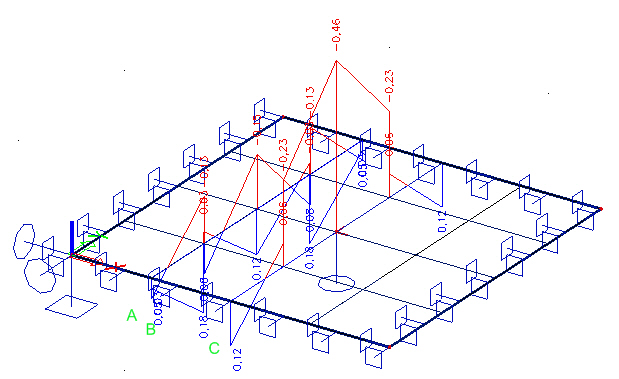
Step 2: Look at the average result in each section by setting the course to 'uniform':
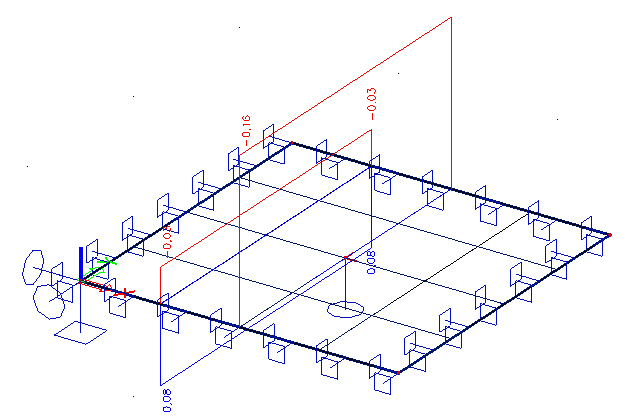
=> Section A: 0,08
=> Section B: -0,03
=> Section C: -0,16
These are the results which are shown when activating averaging strips!
Step 3: Result of mx in nodes not averaged with averaging strip activated: