
FRILO Masonry Design MWX+

Direct link between SCIA Engineer and FRILO Masonry Design MWX+ application can help you with designing masonry walls. The link allows you to export sub-structure with the wall you want to design from global analytical model in SCIA Engineer in specific format with all the necessary neighbouring objects. All the loads and internal forces from the SCIA Engineer model are included in the exported structure and can be used for design check in FRILO Masonry application.
Link is working only one-directional, from SCIA Engineer to FRILO application. It means that changes made in the FRILO application can’t be transferred back to SCIA Engineer. SAF format is used in the background for exchange of the data.
For more info about FRILO Masonry Design application you can visit:
There is also available the document describing the whole workflow:
Prerequisites
- The analytical model in SCIA Engineer is calculated (results are available);
- FRILO Masonry Design MWX+ application is installed on your computer;
- Masonry material is enabled in SCIA Engineer project;
- Integration strip is located on the masonry wall. For fully correct export, the 2D member should be vertical (strips on horizontal members are not supported at all).
How to do it
If you don't have results available in your project, calculate the SCIA Engineer model.
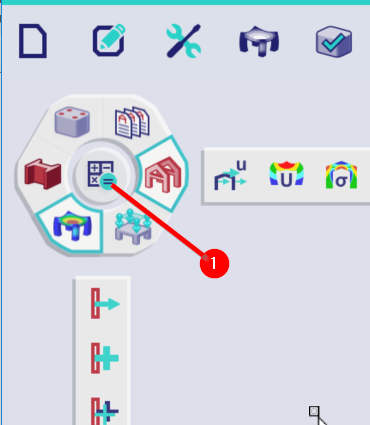
In your SCIA Engineer model find the wall you want to design/check in FRILO application. It has to be a wall with masonry material assigned.
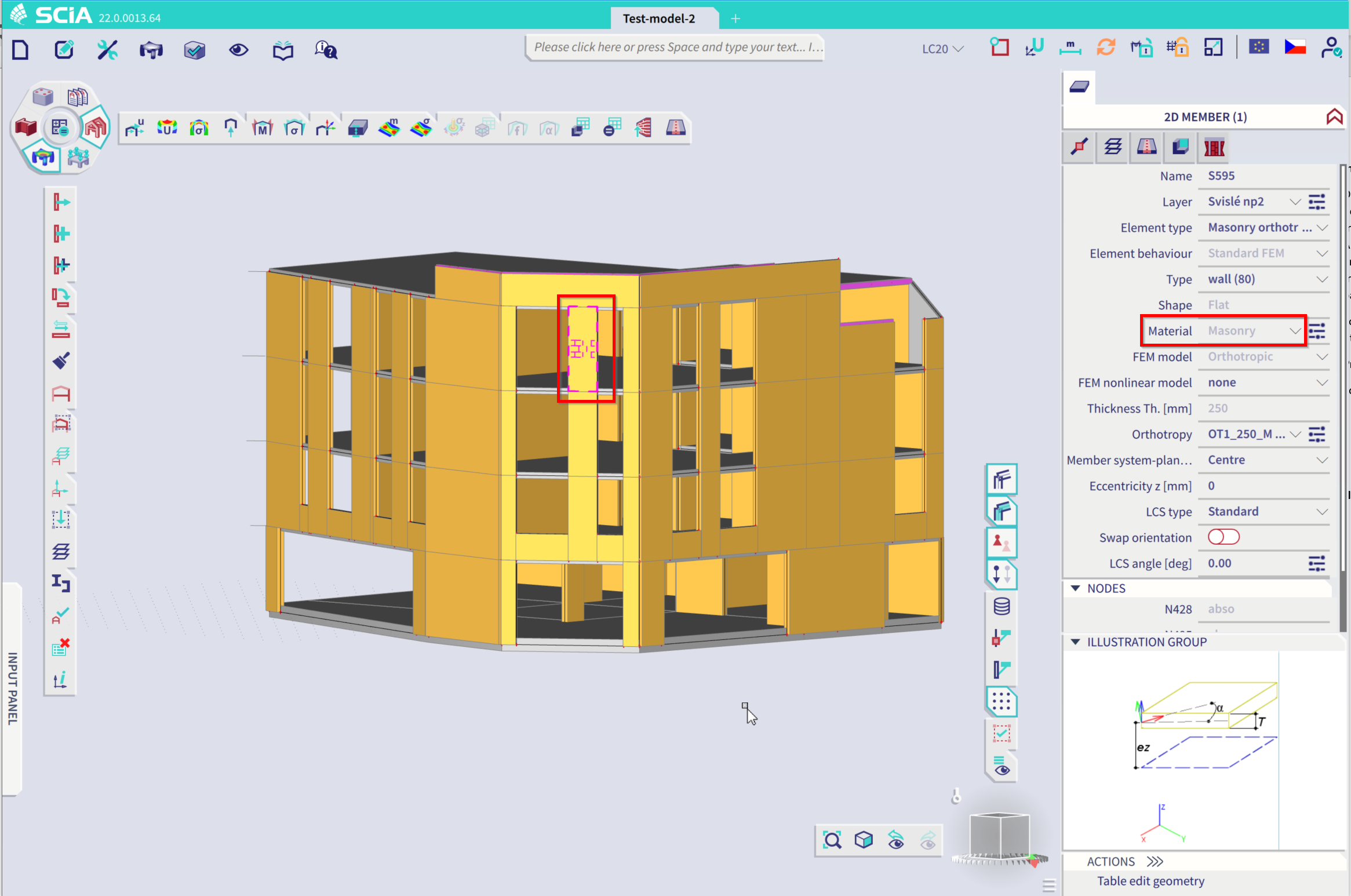
Place the integration strip on the wall. By location and width of the strip you define, which part of the wall exactly will be exported to be checked. The integration strip should be placed perpendicular with the horizontal edges of your wall and should also cover the whole height of the wall.
- Use Integration strip command.
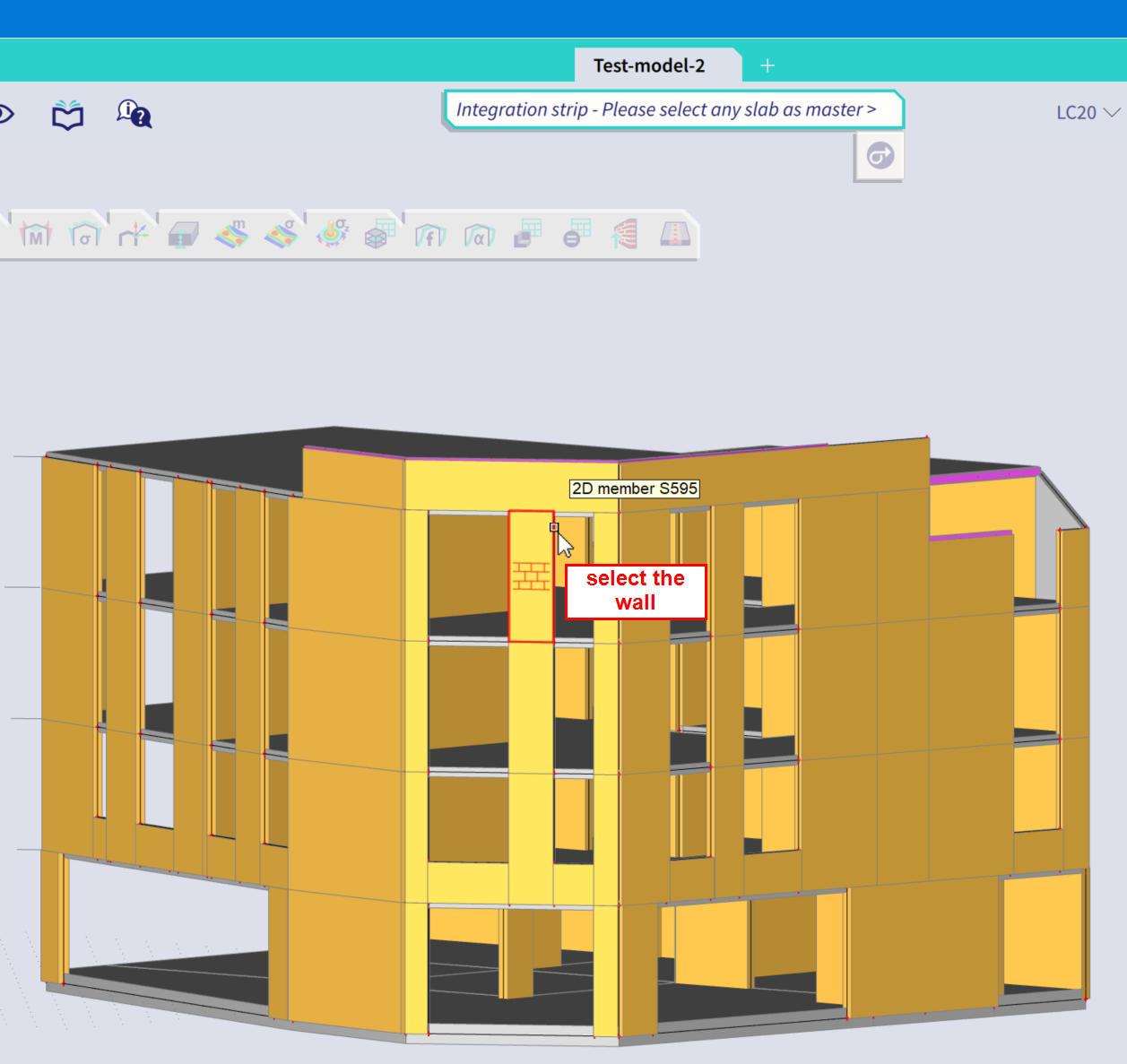
- Select the wall you want to place the strip to.
- Then place the strip to the wall for its whole height. Now you can define parameters of your strip more precisely: symmetrical/nonsymmetrical, specific width, etc.
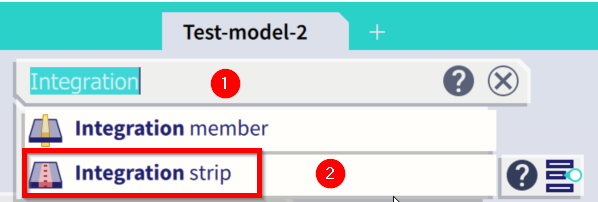
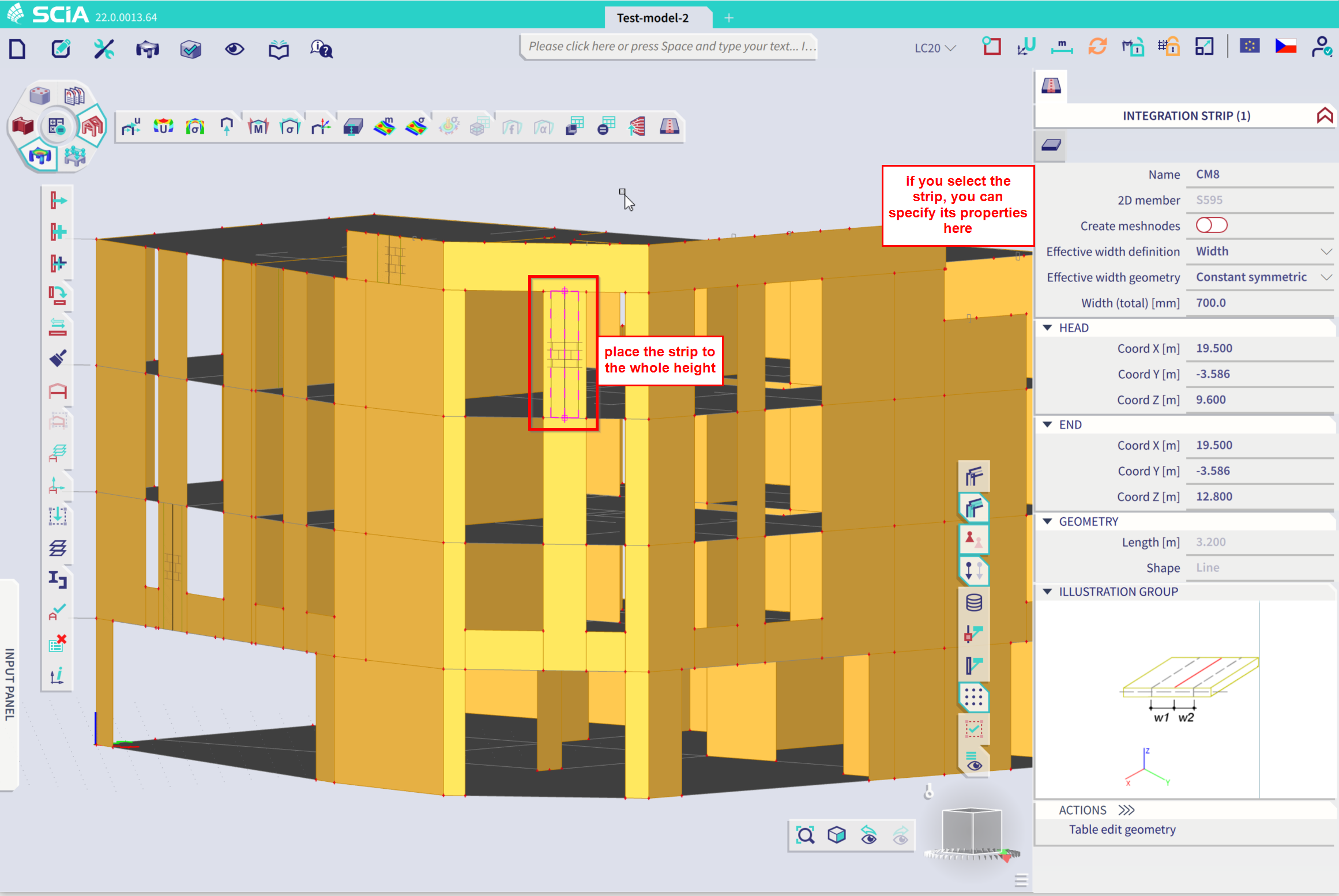
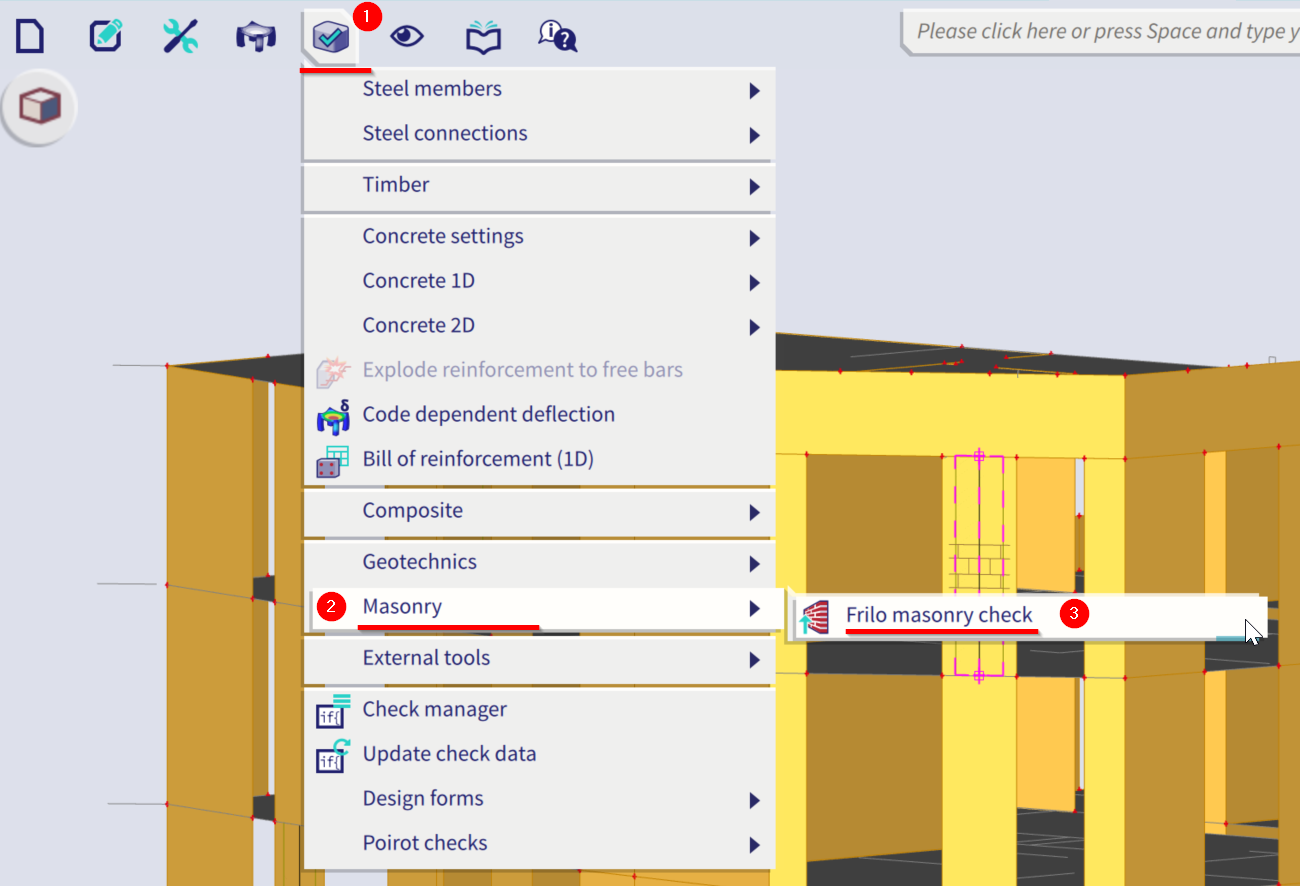
If you have prepared your strip, now you can use FRILO masonry check command (via SCIA Spotlight or in Menu bar > Design > Masonry > FRILO masonry check).
After you call this command, separate bar with FRILO masonry check will open. Here you can click on Export to FRILO Masonry and then select the integration strip by clicking on it.
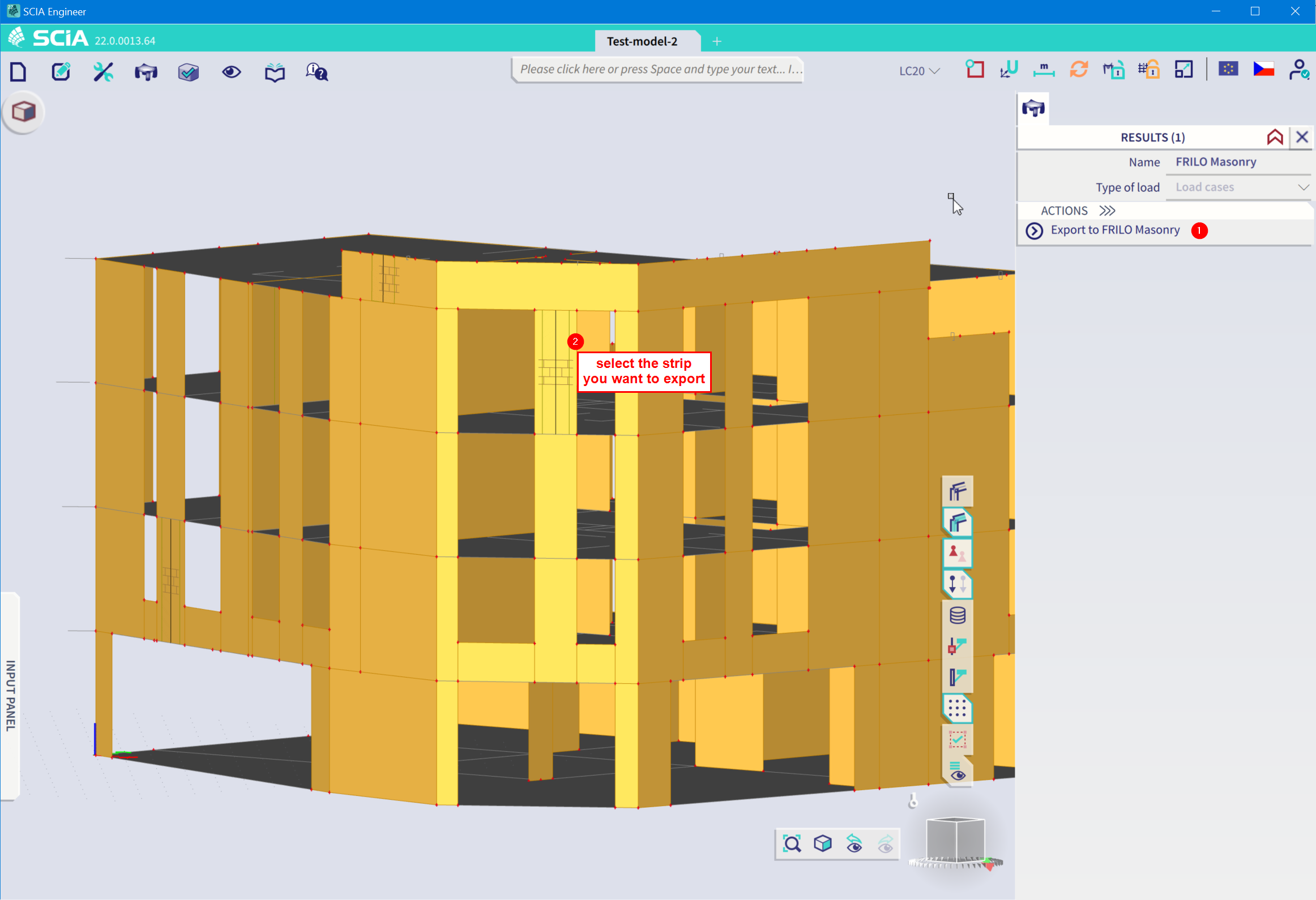
FRILO Masonry Design MWX+ application should now launch and the stripped structure is exported.
Exported results
The results that are exported to FRILO application match these settings in SCIA Engineer:
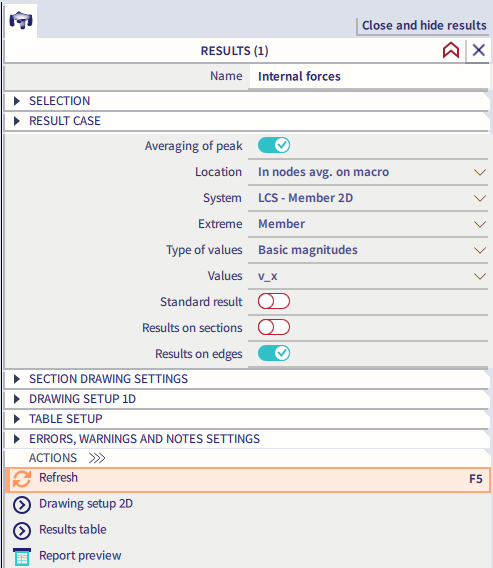
Currently there is no option to change the settings of the exported results.
Material settings
Currently there is no predefined material library for masonry in SCIA Engineer. In order to transfer a proper material grade and automatically match it to material library in FRILO Masonry application, one can use a clear notation for masonry name. The notation for masonry name is composed as follows:
- Full naming scheme for masonry
- Types of masonry units
- Compressive strength classes
- Density classes
- Mortar groups
Type of masonry units-Compressive strength class-Density class-Mortar group
for example: HLzA-12-1,0-MG IIa
HLzA, HLzB ,HLzW, LLz ,Mz, HLzT1, HLzT2, HLzT3, HLzT4, KS, KSP, KSL, KSLP, KSXL, SXLN, KSXLE, V, Vbl, Hbl, VblS, VblSW, Vn, Vbn, Hbn, Vm, Vmb, PP, PPE
2, 4, 6, 8, 10, 12, 16, 20, 28, 36, 48, 60
0,35; 0,4; 0,45; 0,5; 0,55; 0,6; 0,65; 0,7; 0,75; 0,8; 0,85; 0,9; 1,0; 1,2; 1,4; 1,6; 1,8; 2,0; 2,2; 2,4
MG I, MG II, MG IIa, MG III, MG IIIa, LM 21, LM 36, DM
Free loads
SEN 22.0 and SEN 22.0 patch 1: Free loads objects are not supported for the export via this link. For correct export of the structure they have to be deleted from the SCIA Engineer project.
SEN 22.0 patch 2: Export of free loads is supported with following limitations:
- Free line and free point loads are skipped and not exported at all. Be aware, that exported results includes the effect of these not exported loads too.
- Only free surface loads with uniform value can be exported. Free surface loads with non-uniform value are skipped and not exported. Be aware, that exported results includes the effect of these not exported loads too.
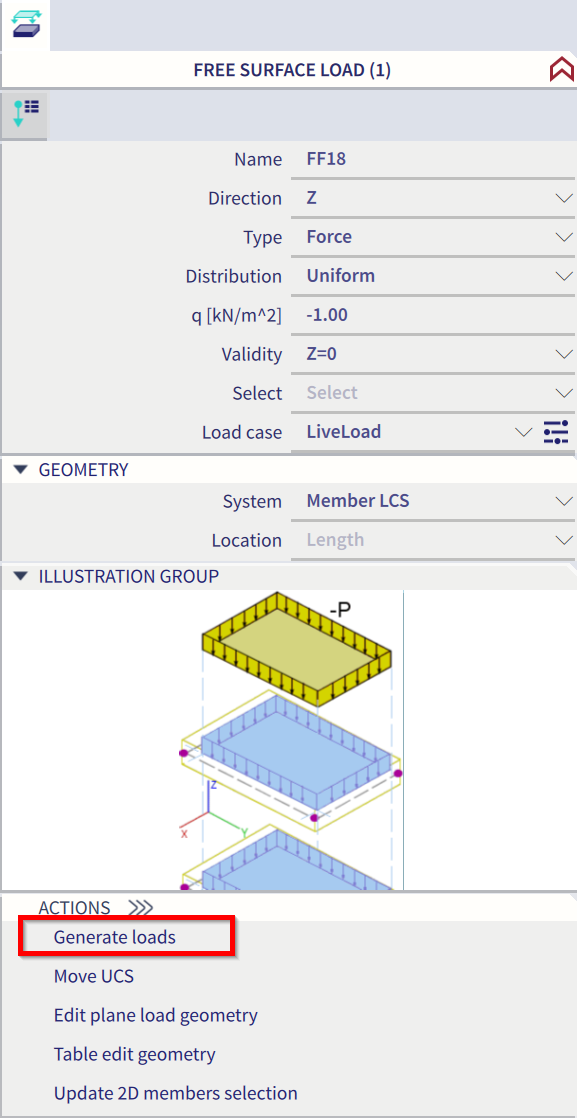
- Objects of free surface loads themselves are not exported. Exported are the generated surface loads, which are generated based on free surface load definition. You can check those generated loads directly in SCIA Engineer if you select the object of free surface load and click on the button "Generate loads" in the property bar.
Tips and tricks
- Designing wall in Frilo application is based on the check according to the design code. It means, that only couple of types of structures are covered. Be aware, that during the export, Frilo application will try to match your exported structure to one of these predefined types. If a complete match is not found, then your structure can be slightly modified (added/removed objects etc.).
- Spans of the neighbouring plates are exported always as 2m long. You can edit this value after export in Frilo application.
- Supports of the walls/slabs are not exported based on the structure in the SCIA Engineer. It is input by Frilo application based on the matched predefined type of the structure. Always check the support in Frilo project and edit them there, if necessary.
- If Frilo masonry check command is greyed out or completely disabled, check carefully all the conditions mentioned in Prerequisites chapter.