
Introduction to interface templates
SCIA Engineer version 24 brings 4 template configurations to boost your confidence and productivity.
The new user interface introduced in version 21 is fully customizable. And our example templates can make it even easier for you to find a configuration that fits your needs.
With the release of version 24.0 these template files are available for download from the SCIA website.
From version 24 patch 1, you can simply load one from the folder (by default) C:\Users\*username\ESA24.0\User\ConfigurationTemplates, via the main menu:
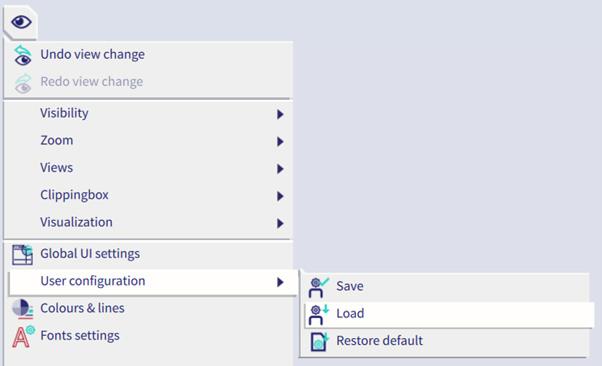
There are four templates available, tailored to specific a specific workflow:
- Transition from the old UI
- Concrete
- Steel
- Scaffolding
In each template, the following aspects are considered:
- UI Component placement, settings and filters
- Population of the toolbars
- Population of the marking menu
- Hotkeys (The hotkeys have been unified across all 4 templates, for easy switching. The list of hotkeys is provided here.)
The templates should allow you to easily navigate the UI for the designated workflow. Of course, you can choose to use it as it was provided, or customize it further to your preference.