
|
||
|
|
||
Once function New polygon is started the user may select advanced option from toolbar Plane polygon.
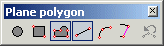
Buttons of the toolbar have the following meaning.
If this button is pressed, the sub-toolbar with two buttons is opened.
The user must define the centre point and a point on the circle that specifies the radius.
The user must input three points located on the circle.
The user must define two opposite corners of a rectangle.
The user must define individual vertices of the polygon.
The following edge (segment) of the currently defined polygon will be a straight line.
The following edge (segment) of the currently defined polygon will be a circular arc (the intermediate point and end point of the circular segment must be input).
This button is useful if a new polygon is supposed to follow the shape of a previously defined polygon. The user does not have to pick all the vertices of the new polygon, but may select existing edges of the already input polygon.
Example:
Let’s assume that a polygon has been input as shown below.
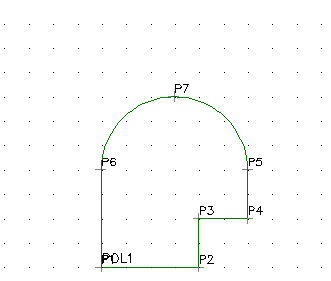
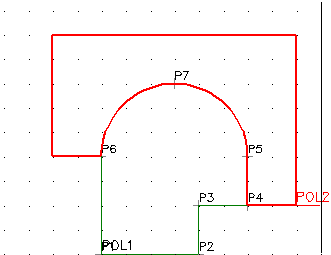
Another polygon is supposed to follow the circular part of the first polygon.
Start function New polygon.
Input the first point to the right of vertex P4 of the defined polygon.
Input the second point in directly in vertex P4.
Press button [Select line] on the toolbar.
Select edge P4-P5 of the first polygon.
Select edge P5-P7 of the first polygon.
Select edge P7-P6 of the first polygon.
Press button [New straight line] on the toolbar.
Input the remaining vertices of the new polygon.
This button goes one step back in the definition of the polygon. If a polygon is being defined, the last vertex is removed. If a circle is being defined by means of three points and two points have been defined so far, this function removes the second point of the circle but leaves the first circle point unaffected.