
Step 3. FLEXNET License Administrator
You log in with the username admin and the password.
- The first time you login, the password is admin
- After the first login, you can change the password, if it has been changed, then the new password must be used
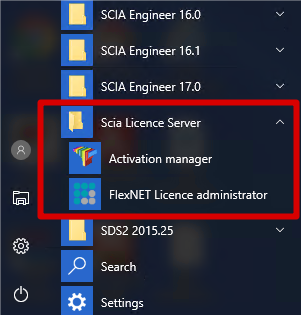
If the SCIA License Server is installed, you will have the FlexNET License administrator shortcut in the start menu (image on the right). The shortcut does no more than opening your browser, and it uses the following address: http://localhost:8080/
Possible questions/problems
àI open ‘FlexNET license administrator’, but it says ‘No page found’! What now?
More explanation can be found in chapter "FlexNET License Administrator page is not found!"
àI lost the password, and now I can’t log in…
Try admin… Otherwise, one solution left: Re-install with the setup indicated in "Step 1. Installation of SCIA License Server (FlexNET)".
àHow can I change the port number (default = 27000) used by the license server?
More explanation can be found in chapter "Vendor Daemon is not RUNNING"
àWhat if I don’t see RUNNING under the tab ‘Vendor Daemon’?
More explanation can be found in chapter "Vendor Daemon is not RUNNING"