
Open checks: Configuration file
Because SCIA Engineerr needs to know what application do, what is its settings, materials and results, than is necessary to prepare configuration file. This file must be placed in same directory as application. It can have any name and it is in xml data format.
Configuration load
Configuration file is created form service Integrated Design Forms in Check manager by click on button "New Plugins".
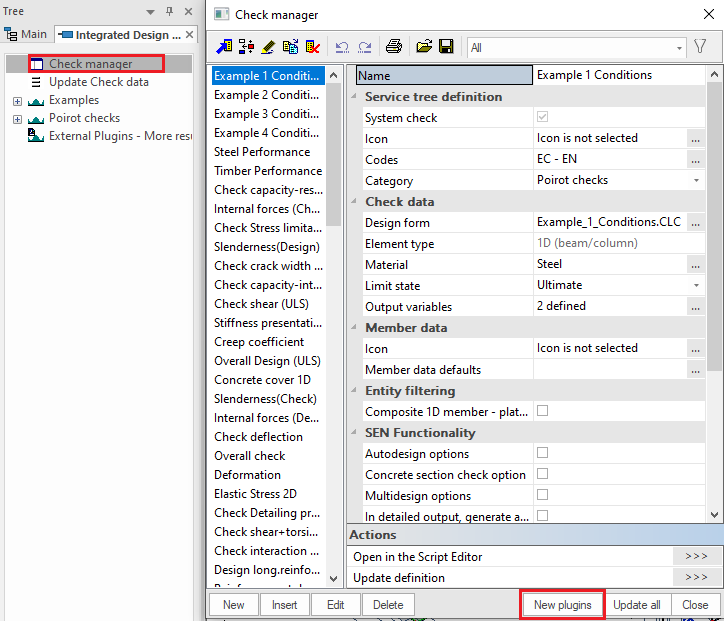
The content of configurations in User settings directory is opened. If there are already available some configurations, just select one of them to add your external calculation to SCIA Engineer.
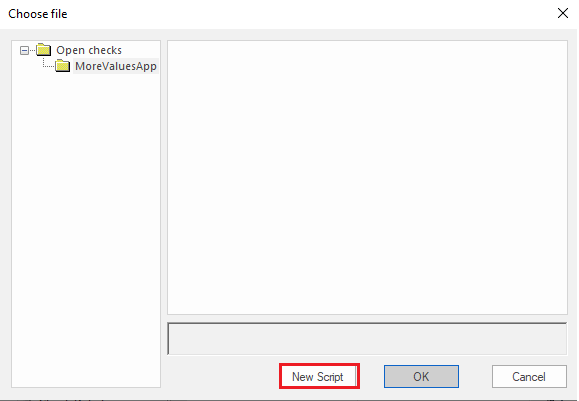
If there is no configuration available, click on "New script" and configuration editor SCIA Design Forms Builder in limited layout is started.
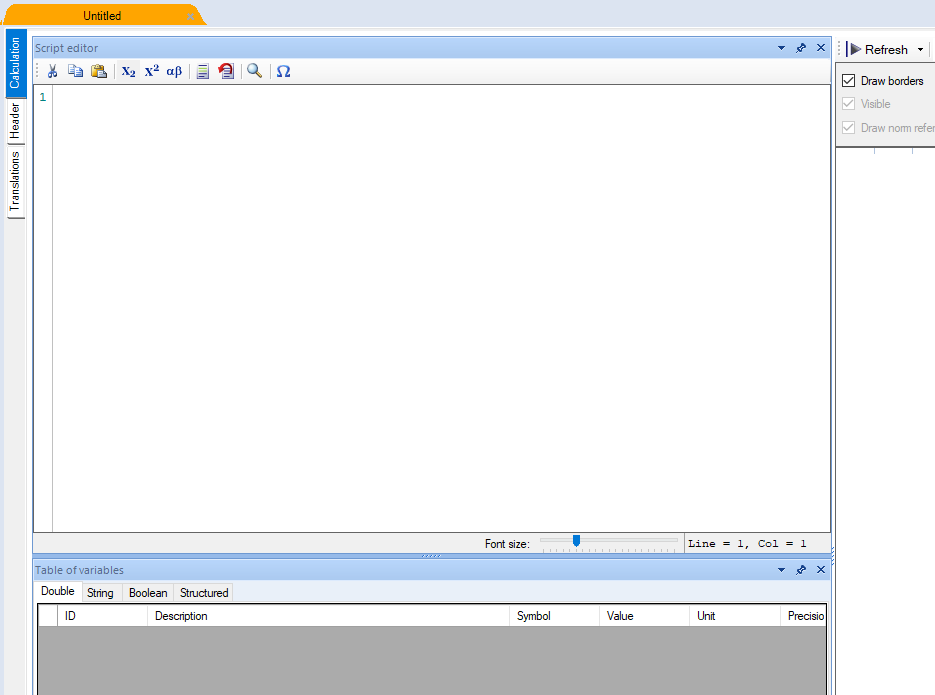
Configuration definition
In SCIA Design Forms Builder can be defined all settings fro calculation which is needed for SCIA Engineer. Including results, units, brief tables and result groups.
Now are available only brief tables for external calculations. In future will be possible to prepare whole extensive output with formulas, drawings...
Results initialization
Initialise all desired result variables in Calculation sheet Script editor - double or string.
In example are three double results and one string result + dummy double result for link string to double
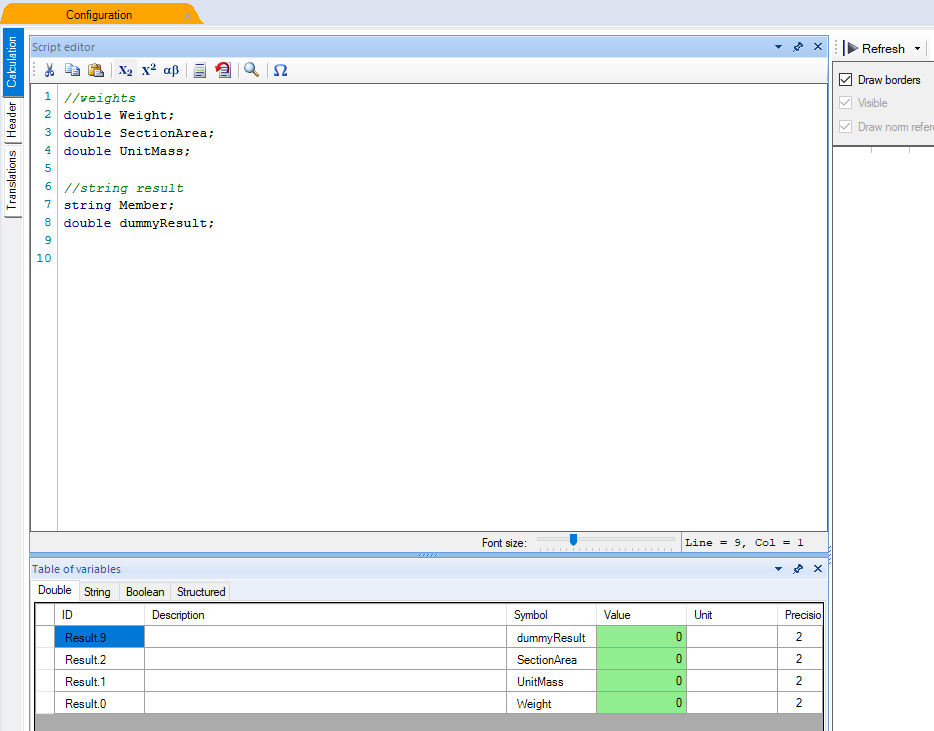
Each result has to have defined ID in Table of variables. Result.X , where X is any integer number. Usually starts with 0
Configuration and result assign
In Header sheet is done all configuration of results.
General
In general sheet is defined global calculation settings.
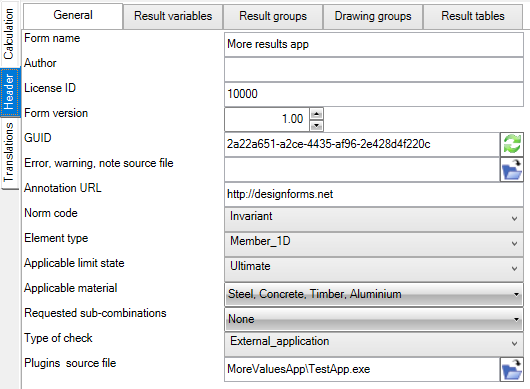
Form name
Name of external application as is visible in SCIA Engineerin service as command.
Author
Name of author of calculation. Can be left blank.
Licence ID
Licence ID of calculation. it can be used for licensing your calculation by SCIA licence, with cooperation with our dealers and sellers.
For general use keep there licence ID 10000.
Form version
Version of calculation data. Start with 1. Increase version when any change to result is done (like rename, adding/removing results, differences in their settings...).
GUID
Random unique ID for storing results. Icon with green arrows can be used for generation of new unique ID.
Error, warning, note source file
External application can contain errors, warnings and notes in separate xml file. Select desired xml file here, if needed.
Annotation URL
Not used.
Norm code
Select the norm for which should be calculation available.
Element type
Select element type for which is calculation valid (executable only on defined element type).
Applicable limit state
Select element type for which is calculation valid (executable only on defined element type)
- Ultimate – only ULS combinations and only classes with only ULS combinations are selectable
- Serviceability - only SLS combinations and only classes with only SLS combinations are selectable
- Both – All kinds of combinations and classes are selectable
- ULS mandatory, SLS optional – only ULS combinations are selectable, classes with ULS and SLS combinations are selectable, loads are generated only from ULS combinations from class
- SLS mandatory, ULS optional - only SLS combinations are selectable, classes with ULS and SLS combinations are selectable, loads are generated only from SLS combinations from class
Applicable material
Select the materials for which is calculation valid (executable only on members from defined material).
Requested sub-combination
Define if Internal forces should contain specific subcombination extracted from actual combination.
Type of check
Type of used check
- SDF_check - This type is used for common checks prepared fully in SCIA Design Forms. For more see Open checks - link with SCIA Design Forms.
- Internal_check - Internal checks prepared in SCIA Design Forms
- External_application - Use this type for external calculations.
Plugins source file
Specify the executable file of external application.
Result variables
On sheet Result variables is defined all settings for variables.
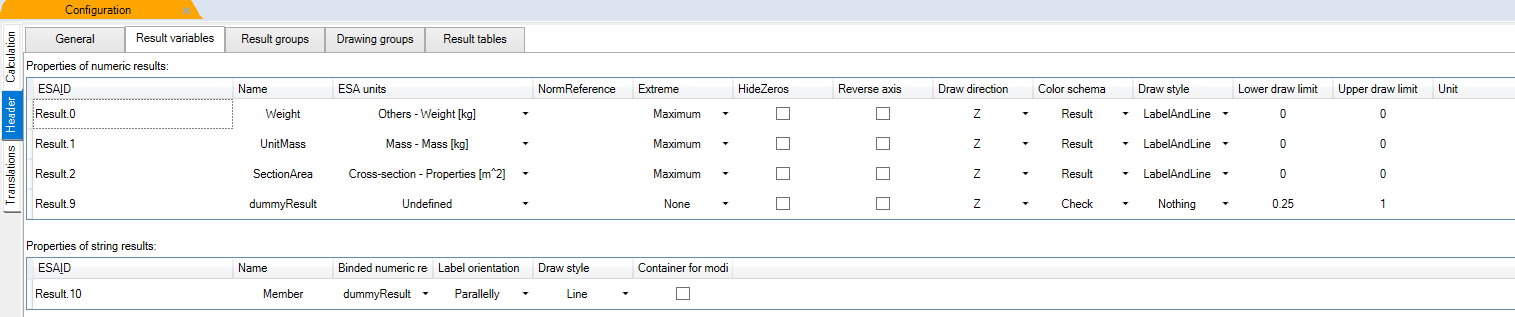
Results are presented in ascending order with smallest Result.ID on top.
For details about variable settings see Result variables.
Result groups
On sheet Result groups can be grouped some result under group. Each group can have different brief tables available.
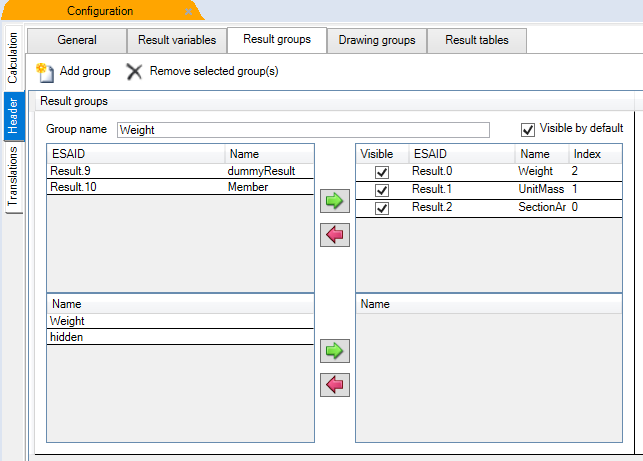
Left column in group show available results, right column shows used results.
Drawing groups
On sheet Drawing group can be grouped more results to be drawn together in SCIA Engineer.
Left column in group show available results, right column shows used results.
Result tables
On sheet Result groups can be prepared the layout for brief table which is visible in SCIA Engineer in preview window or in Engineering Report
Left column in group show available results, right column shows used results.
Results are ordered to columns according index value.
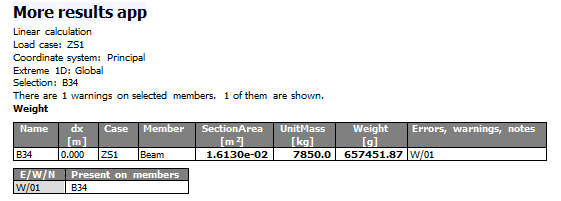
If same index is used, results are in one column in brief table. On top is result with lower Result ID.