Defining a new geologic profile
A new geologic profile can be input in the Geologic profile manager. Function New of the manager opens the Geologic profile dialogue.
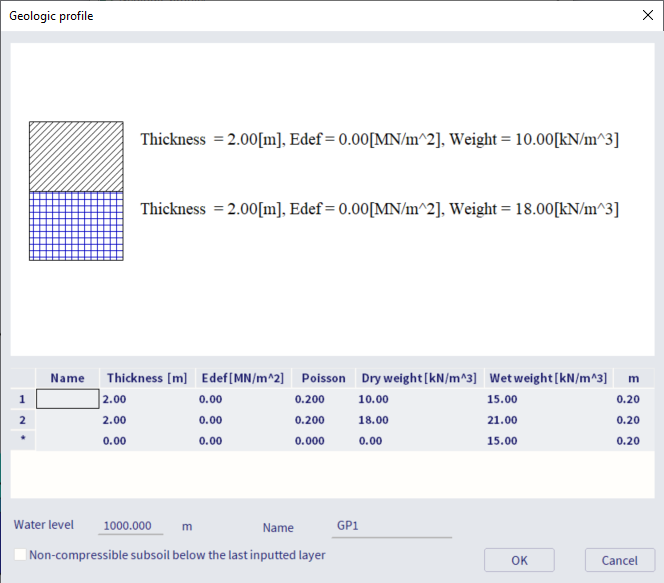
General geologic profile parameters
Layer-related parameters
The soil parameters that might be defined within the geologic profile are dependent on the selected standard within the solver settings. This input is not dependent on the selected standard and national annex within the project settings. There are three options in the solver settings to choose from: DIN, CSN, and EN (German standard, Czech standard and Eurocode respectively). The summary is depicted in the figure below.
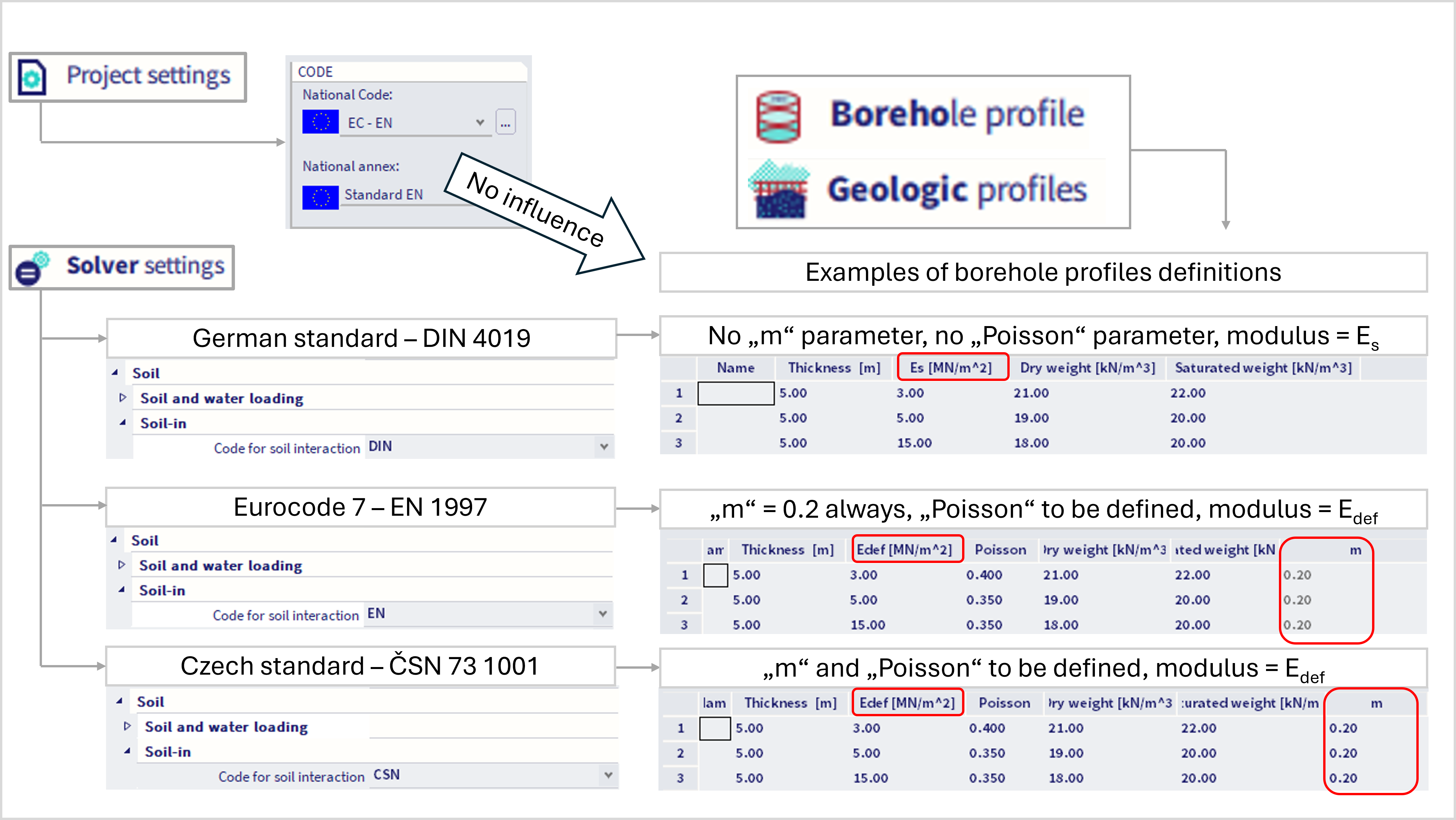
The parameters are summarized and explained in the table below (for Czech standard)
|
name |
name of the layer |
|
thickness |
thickness of the layer |
|
E def |
module of deformation For geotechnical categories 1 and 2 the indicative value from e.g. CSN 73 1001 can be used, for category 3 a survey should be carried out to provide for the value. |
|
Poisson’s ratio |
coefficient of transverse deformation An indicative value or experimentally found value can be used. (range: 0 – 0.5) |
|
specific soil weight |
specific soil weight for dry soil normally within the range from 18 to 23 kN/m3 |
|
wet specific soil weight |
specific soil weight for wet soil |
|
m |
structural strength coefficient Dimensionless value in the formula for settlement according to CSN 73 1001.
Table 10 in the standard states indicative values for various soils in the range from 0.1 to 0.5. For category 3 it is advisable to consult the engineer who carried out the survey of the locality in question. For other codes (other than CSN) this coefficient is equal to 0.2. |
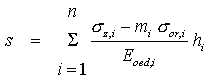
The deformation module Edef is to be defined for CSN and EN. The relation between deformation module and oedometric modulus Eoedis expressed by equation:
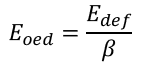
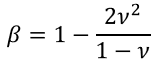
where β is parameter dependant on Poisson's ratio ν:
For DIN, there is secant modulus Es to be defined instead of the Edef. More detailed information is in described in this chapter.
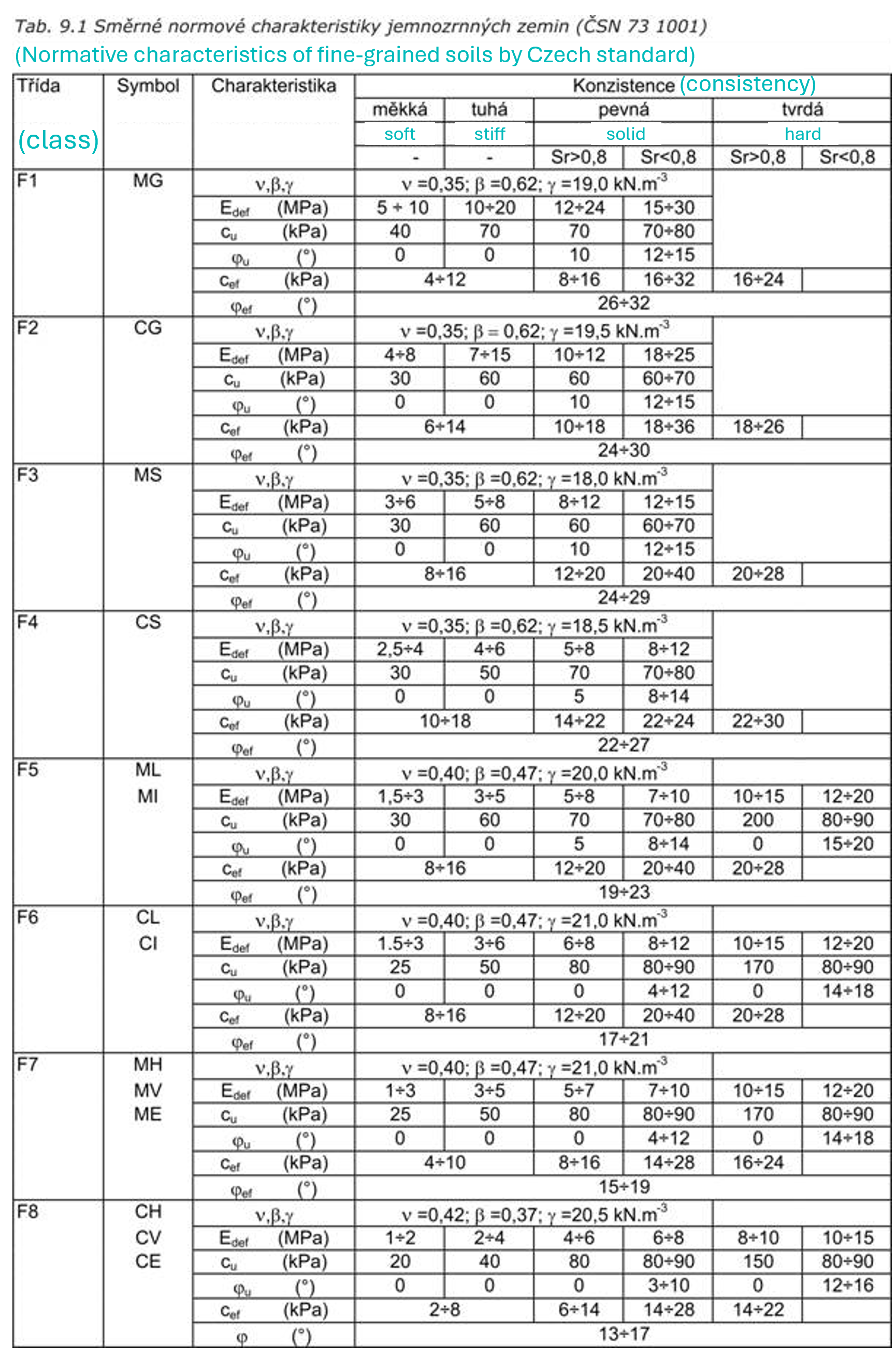
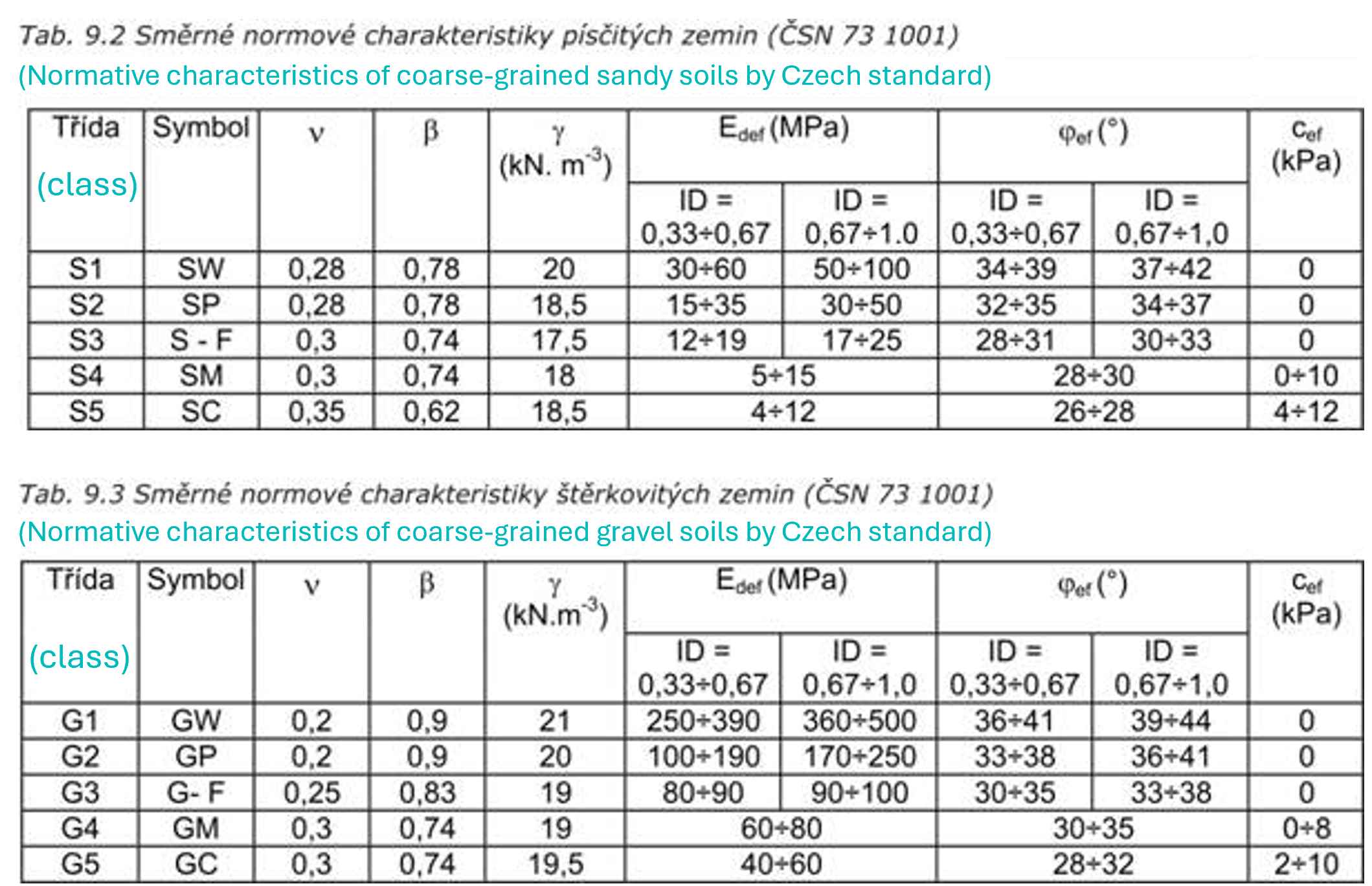
In case of Czech standard, Edef and Poisson's ratio might be estimated based on the following tables (see also soil types according to CSN in this chapter):
Geologic profile must be defined up to such a depth where the effective stress is still active, otherwise the program does not have enough information.
Edit the content of the table
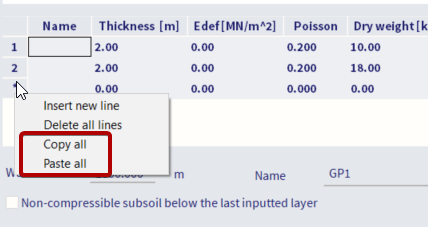
Delete or insert new row:
- Click on the row header.
- Display the right click menu.
- Select the option Delete line, Insert line or Delete all lines.
Copy and paste the content from the clipboard
Copy content to the clipboard:
- Click on the row header.
- Display the right click menu.
- Select the option Copy all.
- Paste the content of the table to any editor (e.g. MS Excel, MS Word, OpenOffice, Notepad etc.).
Paste content to the table:
- Click on the row header.
- Display the right click menu.
- Select the option Paste all.