
Traffic lane 2D
Applicable to load 2D members.
This command is to define the traffic lane, which is required for either Moving loads 2D (solution implemented since Scia Engineer v 26.0)or the older solution Traffic loads 2D of the moving loads.
Icon of the command:

Defining of the 2D traffic lane in 3D scene
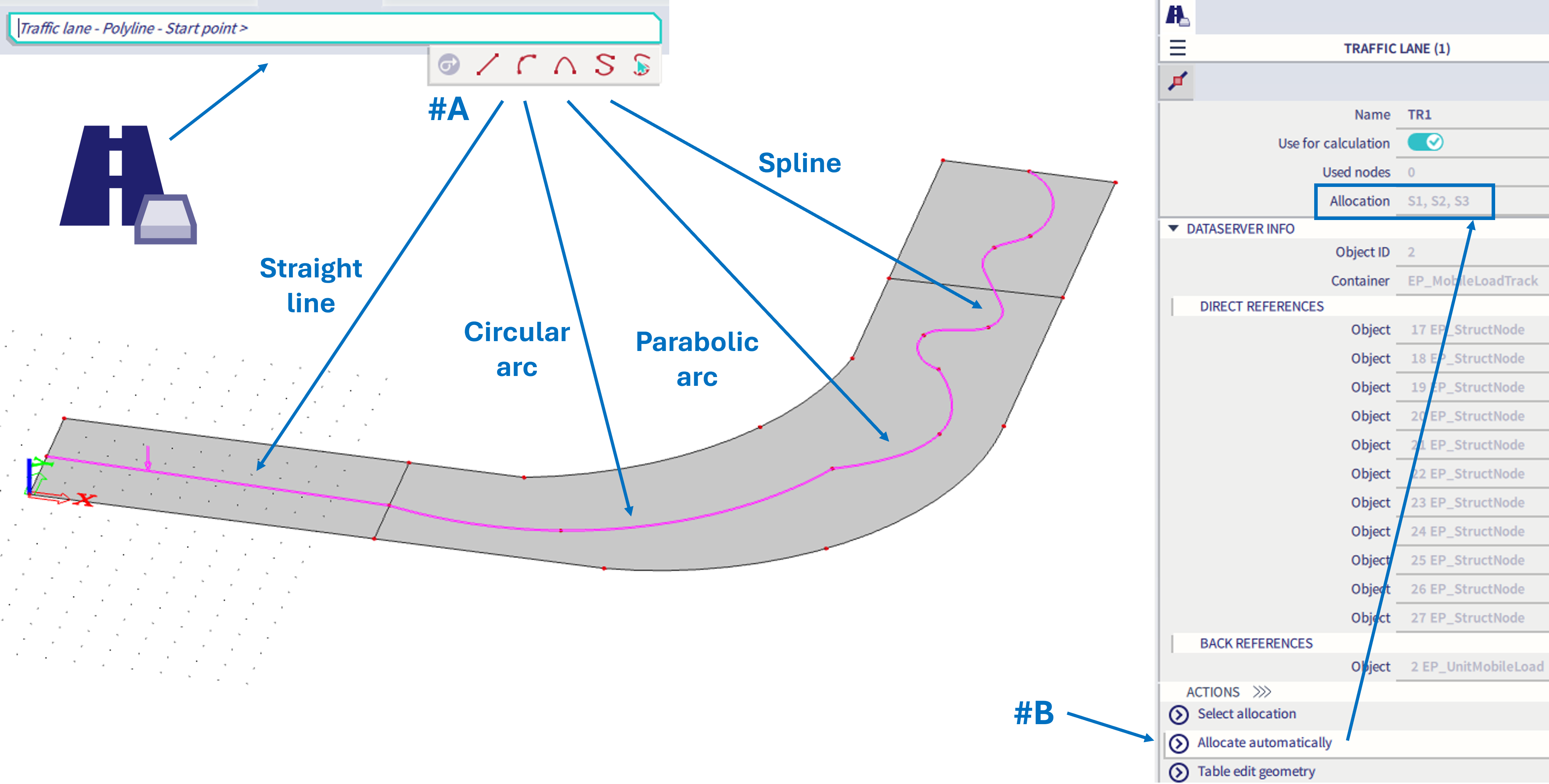
#A - model the trajectory of the traffic lane using straight line, circular arc, parabolic arc or spline.
#B - when the trajectory is defined, it is required to allocate the 2D members (where the moving load will be applied) - automatic allocation works when the trajectory of the traffic lane is in the same plane as the 2D members it will be allocated to.
#C - The trajectory of the traffic lane might be modelled independently of the structural member geometry (2D slabs), and in general the traffic lanes does not have to be located in the same plane as the 2D members mid-plane. However, in this case, manual allocation of the corresponding 2D members might need to be done instead of the automatic allocation.
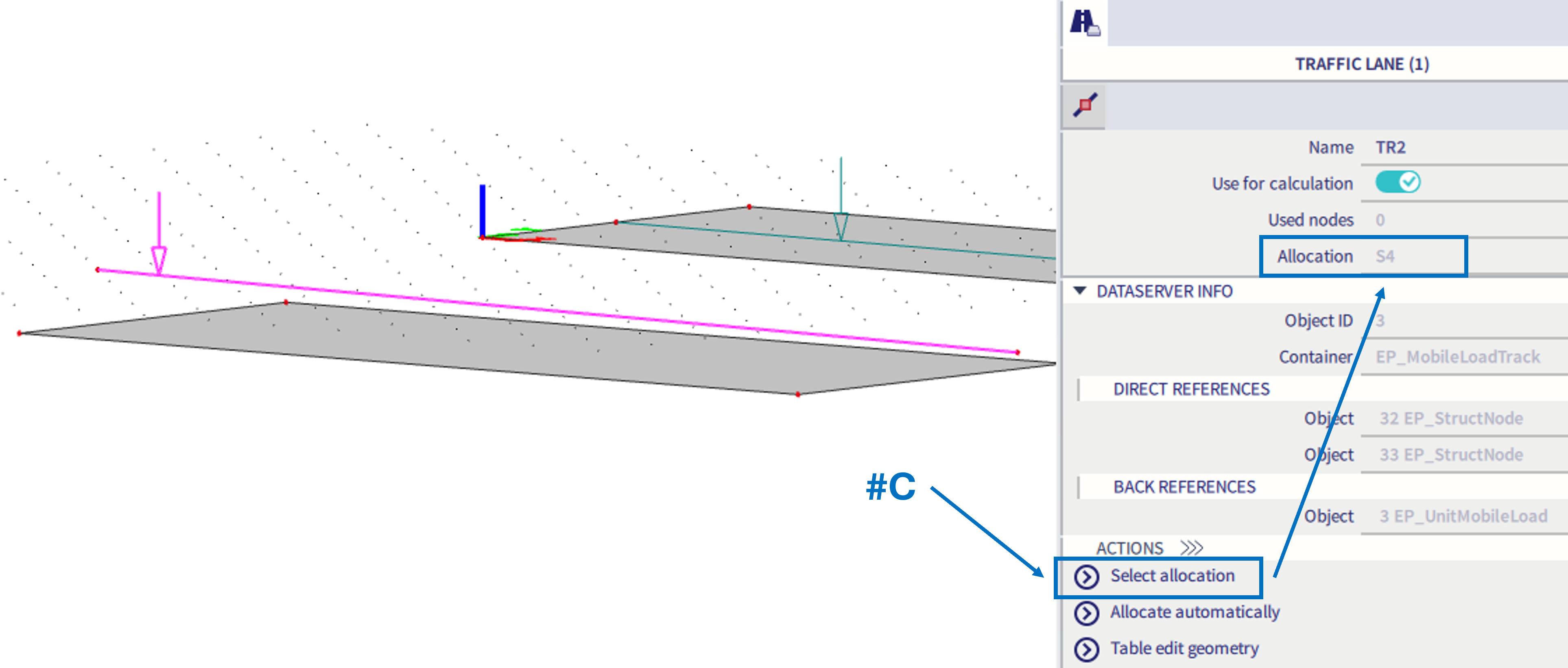
Once the 2D traffic lane is defined and allocated to 2D members (if forgotten, automatic allocation is triggered before the analysis, but as described above, in some cases manual allocation is needed - #C), it might be used for Moving loads 2D or Traffic loads 2D.